1TB portable SSD: four external drives and what each one is built for
Portable SSDs under €200
A portable SSD has quietly taken over the work an external hard drive used to do: phones film in 4K, cameras write RAW files that fill a memory card in an afternoon, and one modern game folder outgrows the laptop disk of ten years ago. The replacement is a palm-sized SSD with a USB-C socket, which has no moving parts, no spin-up noise and no trouble copying a holiday of footage while the kettle boils.
The listings make these SSDs look interchangeable, because each one advertises a terabyte, a USB-C plug and a transfer speed printed in the same corner of the photograph. The differences sit one layer down, inside the case, where either an NVMe module or a slower SATA module sets the ceiling for every transfer the SSD will run. Around that module portable SSDs wrap a shell that either survives a fall onto a stone floor or does not, and behind it come the details nobody photographs: hardware encryption, a cable in the box, a warranty of five years, three years or no stated term.
This portable SSD comparison sets four external SSDs beside each other: the rugged SanDisk Extreme, a newer and cheaper SSD from the same manufacturer, a magnetic 2TB SSD built for filming on a phone, and a compact NVMe SSD from SSK that thousands of buyers already own. All four sit in one bracket — in most stores each one stays under $200, and the group sits near $180 — so the question is not which budget class to shop in, but what each SSD is built for. Every specification comes from the listings and every opinion from people who bought these SSDs, while the cards carry the full parameters and the per-store Amazon prices.
Models in this comparison
Typical price across these models: about €166. Rough figures from store prices converted at fixed rates: what you pay also depends on the store and the region you order from. With our browser extension you can compare every Amazon store at once, right on the product page.
SanDisk Extreme — the rugged portable SSD of the four
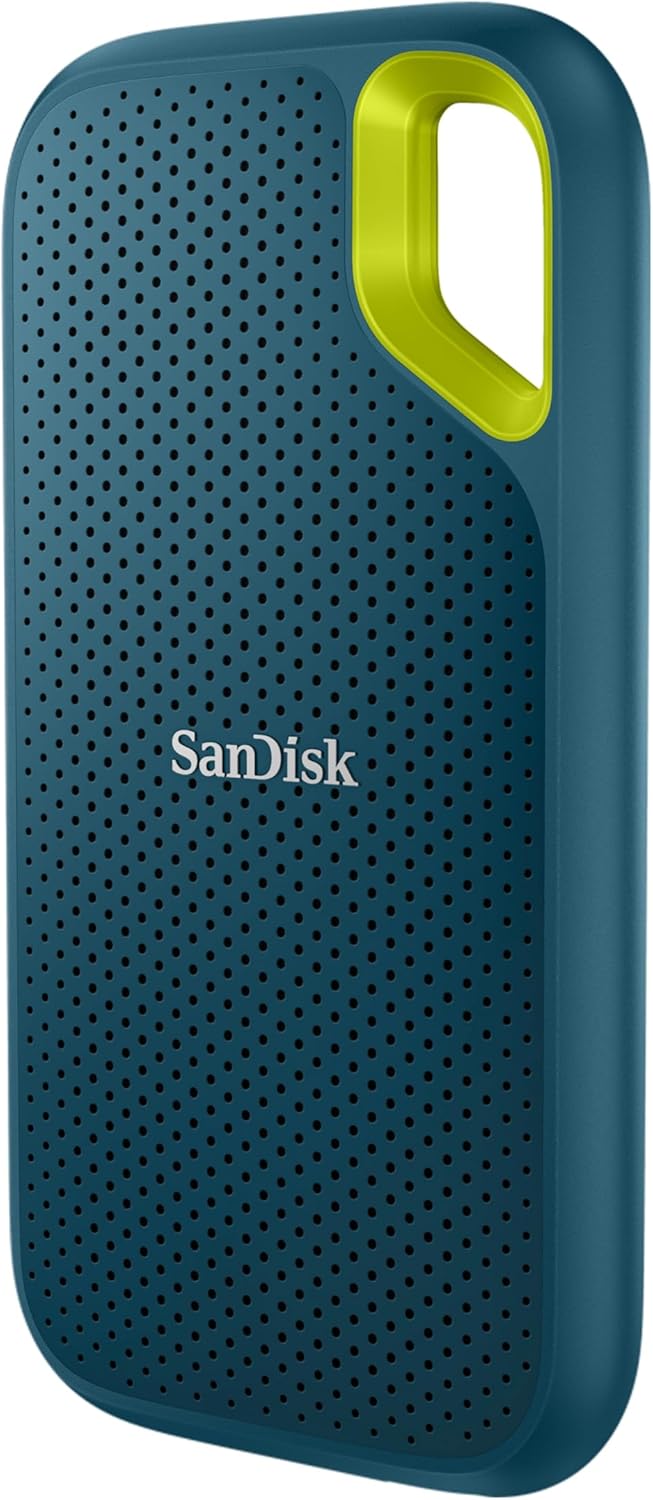
SanDisk Extreme Portable SSD 1TB (Portable NVMe SSD, USB-C, Up to 1050MB/s Read Speed and 1000MB/s Write Speed, Water and Dust Resistant) Monterey
ASIN: B0C59G4TLQ
- ✓NVMe module reading at 1,050 MB/s and writing at 1,000 MB/s
- ✓IP65 rating against dust and water, plus drop protection from three metres
- ✓Password protection with 256-bit AES hardware encryption
- ✓Silicone shell with a carabiner eyelet for a belt loop or backpack
- ✓Five-year limited warranty from the manufacturer
- Capacity
- 1 TB
- Read speed
- 1,050 MB/s
- Write speed
- 1,000 MB/s
- Connection
- USB 3.2 Gen 2, USB-C
- Protection
- IP65, 3 m drop
- Weight
- 50 g
- Size
- 10.1 × 5.3 × 1 cm
- Warranty
- 5 years, limited
The Extreme is the armoured member of this group, and its numbers explain the appeal: an NVMe module behind a USB 3.2 Gen 2 port reads at 1,050 MB/s and writes at 1,000 MB/s, close to the practical limit of that connection, so a 20 GB video file lands in under a minute on a computer that can feed it. The casing is the other half of the story: IP65 keeps out dust and splashes, the body absorbs a fall from three metres, and the moulded eyelet clips onto a rucksack strap. At 50 grams and one centimetre thick it weighs less than a phone charger, and the 256-bit AES password protection counts far more on storage that leaves the house than on a drive beside a desktop. SanDisk covers it for five years, the longest term among these SSDs.
Write speed is the property buyers name first, and they name it in almost identical words. A German photographer says the difference against an ordinary hard drive announces itself the moment a transfer begins, while another owner edits Lightroom Classic catalogues of RAW images and multi-gigabyte video straight off the SSD without waiting, adding one caveat: the computer needs a matching USB-C port before the full speed appears. Buyers in France, Sweden and Japan report the same fast transfers from an SSD small enough for a coat pocket.
The second theme is confidence built over time. One owner already runs four earlier SanDisk SSDs, two of 4 TB and two of 2 TB, all in daily professional use for more than two years without a failure, and bought an 8 TB version on the strength of that record. Others call the silicone body substantial and the SSD equipment for travelling rather than a shelf. Complaints across the past year of reviews are thin: a four-star owner rates the value below the performance, and buyers of a week's standing cannot judge durability yet. The listing counts nothing but the SSD in the box, so plan on the cable you own.
Pros
- Transfer speed that owners notice immediately against a hard drive
- Handles RAW catalogues and long video files edited straight off the SSD
- Small and light enough to carry every day without thinking about it
- A long track record: owners report earlier units still working after two years
- Dust, water and drop protection the other SSDs here do not match
Cons
- Full speed appears only on a computer with a matching USB-C port
- Only the SSD itself is listed in the box, so no cable is promised
- Buyers who rate it four stars point at value rather than performance
This SSD suits a photographer, a videographer or anyone who works out of a bag and would rather forget about storage for five years, whereas somebody who plugs an SSD into one desk and leaves it is paying for ruggedness that will never be called on.
Portable SSD speed: what the number on the box means
Three of these four SSDs quote 1,000 MB/s or more, and that figure is the biggest divider in the category. An NVMe portable SSD reaches it because the module inside the case talks over USB 3.2 Gen 2 at close to the limit of that connection. The older way to build portable SSDs is to fit a SATA module into the same shell, which caps the transfer near 550 MB/s — four or five times an external hard drive, yet half of what NVMe delivers. The SanDisk Portable SSD below sits between the two at 800 MB/s.
Two conditions decide whether you ever see the advertised number. The first is the port, since a USB 3.2 Gen 2 socket and a cable rated for it are both required; plug the same SSD into an older USB 3.0 socket and the transfer crawls, the usual explanation behind a disappointed review. The second condition is the file itself, because a single 40 GB video reaches the quoted rate while ten thousand small photographs never will, whatever these SSDs promise. If your work is documents and backups, the gap between these SSDs stays invisible, and the money goes further on capacity or a tougher case.
SanDisk Portable SSD — the newer, cheaper model from the same maker
This is the Extreme's younger sibling, released after it and sold for less. The SSD reads at up to 800 MB/s over the same USB 3.2 Gen 2 connection, survives a drop from two metres instead of three, and carries a rubber loop for a belt or a backpack. SanDisk names automatic backups as the headline feature of this SSD, and the compatibility list is wider than the Extreme's on paper: camera, drone, tablet, laptop and PlayStation 5. Cover runs three years, there is no IP rating and no encryption, and a quick start guide with a USB cable comes in the box, which the Extreme does not promise.
Owners describe the newer SanDisk SSD in short, satisfied sentences. A German buyer connects the drive to a phone over a USB-C cable and copies photographs and video with no setup, while another was startled by how little space it takes. A buyer in the United Kingdom has used it for months across laptops with no dropped connections and rates the build solid for the size. The only reservation comes from a four-star owner who found the setup confusing and would buy the same SSD again. With 237 ratings behind its 4.6 average, this SSD has a shorter record than the Extreme rather than a worse one.
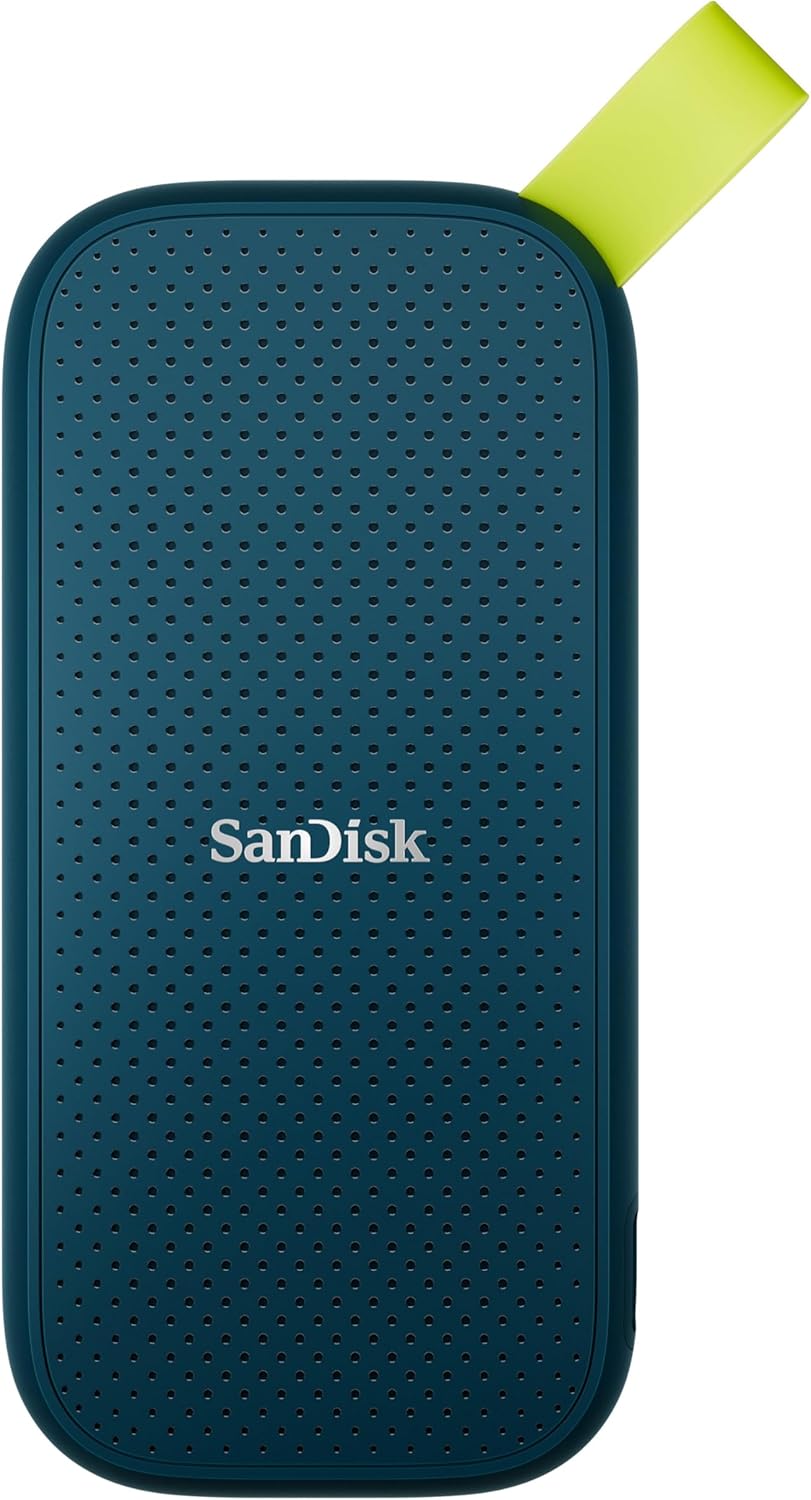
SanDisk Portable SSD 1TB - up to 800MB/s Read - Monterey | External SSD, compatible with PC & Mac, automatic backups, USB 3.2 Gen 2
ASIN: B0F4RM3WZS
- ✓Reads at up to 800 MB/s over USB 3.2 Gen 2
- ✓Survives a drop from two metres and clips on with a rubber loop
- ✓Automatic backups built into the package
- ✓Works with cameras, drones, tablets and a PlayStation 5
- ✓Cable and quick start guide included
- Capacity
- 1 TB
- Read speed
- 800 MB/s
- Connection
- USB 3.2 Gen 2, USB-C
- Protection
- Shock resistant, 2 m drop
- Weight
- 110 g
- In the box
- Drive, USB cable, guide
- Warranty
- 3 years, limited
Pros
- Copies photographs and video straight from a phone over one USB-C cable
- Cable and quick start guide in the box, so it works on the day it arrives
- Smaller than owners expect, and steady across months of use on several laptops
- Automatic backups and a compatibility list that names the PlayStation 5
Cons
- Reads at 800 MB/s, the slowest headline figure of these SSDs
- No IP rating and no encryption, and the drop figure stops at two metres
- Heaviest of the four at 110 grams
- One owner found the initial setup confusing
This SSD is the one for everyday backups, phone footage and console libraries; anyone editing off the drive or carrying it outdoors wants a faster or tougher model.
OSCOO — a magnetic portable SSD that rides on the back of a phone
The OSCOO plays a different game to the other SSDs here, because magnets in its aluminium body snap it onto the back of a phone case, so it films alongside the handset instead of dangling from a cable, and the listing names 4K 60 recording and ProRes footage as the point of the exercise. The module reads and writes at up to 1,000 MB/s over USB 3.2 Gen 2 and holds 2 TB, double the capacity of everything else in this portable SSD comparison. It also carries 100 W Power Delivery passthrough, so a laptop keeps charging through the same port while the SSD records, which nobody else here offers. AES-256 encryption, TRIM, S.M.A.R.T. monitoring and LDPC error correction sit behind a three-year warranty, and the SSD measures 6.8 cm and weighs 50 grams.
The reviews split along a clear line. Buyers who treat it as a straightforward pocket SSD are pleased: an American owner moves large batches of files far faster than any thumb drive with no interrupted transfers, and a Canadian owner has filled the SSD from a phone without a problem, though both mention warmth under load and one warns that the magnet will not hold through a thick case. Buyers who lean harder on the magnetic trick run into trouble. A German owner rates the magnet too weak and is irritated that Windows keeps demanding a safe eject which Android cannot perform, while another says phone-to-SSD transfers misbehaved. The sharpest review comes from the United States: the SSD disconnected mid-copy once warm and went back to the seller. At 4.1 from 59 ratings, this is the least proven of these SSDs.
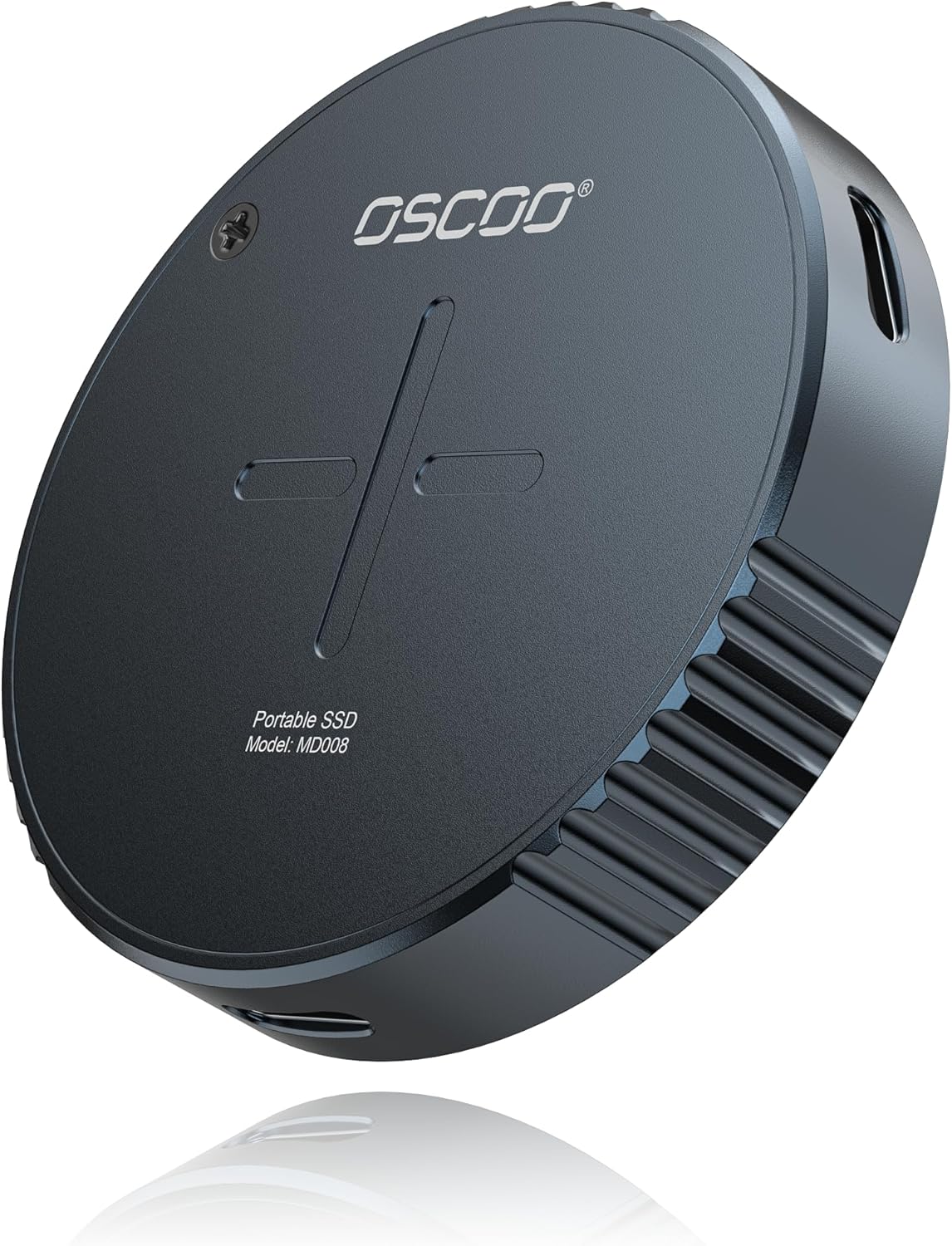
2TB Magnetic External SSD up to 1000MB/s 4K ProRes HDR Recording and Storage Portable SSD USB 3.2 Gen2 External Hard Drive
ASIN: B0F6NRW648
- ✓Magnets snap it onto a phone case for cable-free filming
- ✓2 TB of space, double the capacity of the other SSDs here
- ✓100 W Power Delivery passthrough charges a laptop while recording
- ✓AES-256 encryption with TRIM and S.M.A.R.T. support
- Capacity
- 2 TB
- Read and write
- Up to 1,000 MB/s
- Connection
- USB 3.2 Gen 2
- Body
- Aluminium, 6.8 × 2.2 × 1.4 cm
- Weight
- 50 g
- In the box
- Drive and USB cable
- Warranty
- 3 years from the maker
Pros
- 2 TB of space, twice what the other SSDs here hold
- Magnets hold it against a phone case for filming without a dangling cable
- Owners move large batches of files far faster than from a thumb drive
- 100 W passthrough charging and AES-256 encryption in a 50-gram body
Cons
- The magnet loses its grip through a thick phone case
- Warms up under sustained load, and one owner lost a transfer to that heat
- Windows asks for a safe eject that Android cannot perform
- Only 59 ratings, the thinnest record of these SSDs
This SSD suits someone filming 4K on a phone who wants the storage travelling with the handset, and it is the wrong buy for anyone who simply needs a dependable pocket drive.
SSK SD500 — the same headline speed from a smaller brand
The SSK matches the SanDisk Extreme on the two figures buyers read first, reaching 1,050 MB/s reading and 1,000 MB/s writing from an NVMe module over USB 3.2 Gen 2. What this SSD drops is the armour and the certification, since the case is 2 mm aluminium alloy with an ABS frame, 6.9 cm long and 1.2 cm thick, with no IP rating and no drop figure in the listing. What it adds is considerate packaging: both cables are supplied, USB-C to USB-C and USB-C to USB-A, so the SSD works with an elderly laptop socket and a new phone. TRIM and S.M.A.R.T. are supported, power draw stays under 2.4 watts, and the compatibility list covers Windows, macOS, Linux, Android, the PlayStation 5 and Xbox. No warranty term appears in the specifications, and that omission is the gap to watch.
This is the second most reviewed SSD on the page, with 4,705 ratings at 4.5, and the tone stays consistent. A German owner has run it through a year of video editing with no failures, another uses the SSD as storage expansion for a Legion Go handheld and copies games across in moments, and a third bought it for MacBook backups, found it pre-formatted in exFAT so Windows and macOS both read it, and was taken aback that the case is no larger than a matchbox. An Australian owner moved big video files off a phone and back onto a PC without the SSD growing hot. The warning sign is a Swedish review, where files copied from a computer sometimes arrived incomplete, empty or missing altogether — one report among thousands, yet the kind of fault that costs you the originals when the SSD holds your only copy.
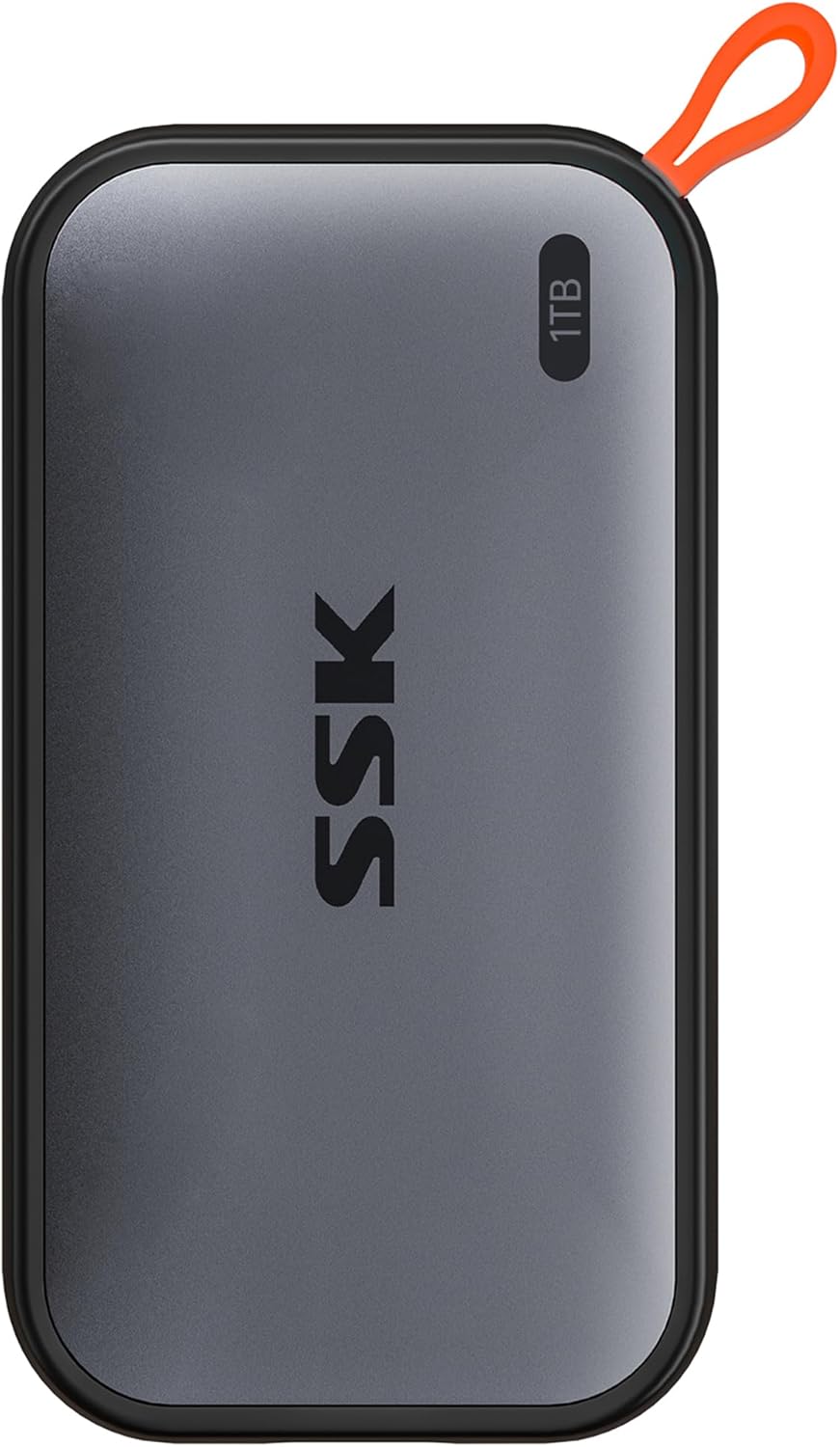
SSK 1TB Portable External NVME SSD, Up to 1050MB/s, Extreme Transfer Speed, USB 3.2 Gen 2 Solid State Drive for Type-C Smartphones, PS5, Xbox, Laptop, MacBook/Pro/Air and More
ASIN: B0BGL4SHY8
- ✓NVMe speeds of 1,050 MB/s reading and 1,000 MB/s writing
- ✓Two cables in the box: USB-C to USB-C and USB-C to USB-A
- ✓Aluminium body the size of a matchbox at 6.9 cm long
- ✓Runs on under 2.4 watts and works with PS5, Xbox, Android and Linux
- Capacity
- 1 TB
- Read speed
- 1,050 MB/s
- Write speed
- 1,000 MB/s
- Connection
- USB 3.2 Gen 2
- Body
- Aluminium, 6.9 × 3.8 × 1.2 cm
- Extras
- TRIM, S.M.A.R.T., status LED
- Warranty
- —
Pros
- NVMe speed equal to the Extreme, from a case the size of a matchbox
- Two cables supplied, so old USB-A sockets and new phones are both covered
- Pre-formatted in exFAT, which Windows and macOS read without changes
- A year of video editing and handheld gaming with no failures in owner reports
Cons
- No warranty term stated anywhere in the listing
- No IP rating and no drop figure: the aluminium case is the whole protection
- One owner in Sweden had files arrive incomplete or empty
- No encryption, so a lost SSD is an open SSD
This SSD suits a buyer who wants full NVMe speed for the least outlay and keeps a second copy elsewhere; the missing warranty line is the reason to think twice before it holds your only files.
Portable SSD comparison by the specifications
These portable SSDs become easier to weigh when their figures stand in one place.
| Parameter | SanDisk Extreme | SanDisk Portable | OSCOO magnetic | SSK SD500 |
|---|---|---|---|---|
| Capacity | 1 TB | 1 TB | 2 TB | 1 TB |
| Read speed | 1,050 MB/s | 800 MB/s | 1,000 MB/s | 1,050 MB/s |
| Write speed | 1,000 MB/s | — | 1,000 MB/s | 1,000 MB/s |
| Connection | USB 3.2 Gen 2 | USB 3.2 Gen 2 | USB 3.2 Gen 2 | USB 3.2 Gen 2 |
| Water and dust | IP65 | — | — | — |
| Drop protection | 3 m | 2 m | — | — |
| Encryption | 256-bit AES | — | AES-256 | — |
| Body | Silicone, 50 g | —, 110 g | Aluminium, 50 g | Aluminium |
| Cable included | — | Yes, one | Yes, one | Yes, two |
| Warranty | 5 years | 3 years | 3 years | — |
| Customer rating | 4.6 (7,556) | 4.6 (237) | 4.1 (59) | 4.5 (4,705) |
Read the ratings of these SSDs together with the crowd standing behind them. The Extreme carries more than seven thousand opinions and the SSK nearly five thousand, so both averages are settled, while the 4.6 of the newer SanDisk still rests on 237 buyers. The 4.1 of the OSCOO comes from 59 people, so the two-star report inside that small pile weighs heavily.
What buyers say about these SSDs
Across the reviews of all four SSDs one observation draws no argument, and it concerns size: owners keep reaching for the same comparison, a matchbox, and keep admitting they expected something bigger. A terabyte that once needed a mains adapter and a shelf now shares a pocket with a phone, and all four SSDs deliver on that.
Speed is the second point of agreement, with one condition: every complaint about speed in these reviews describes an older socket, a cable of the wrong grade or a heap of tiny files rather than SSDs behaving below their class.
The complaints about these SSDs cluster around heat and data integrity, and they land on the two smaller brands. The OSCOO warms up under sustained load, and one owner watched that heat break a transfer, while the SSK stayed cool for an Australian owner moving video and still lost files for a Swedish one. Neither pattern is common enough to condemn these SSDs, yet both point at one rule: external SSDs hold the second copy, never the only one.
How to choose a portable SSD
- Start with the port you own, not with the SSD. A USB 3.2 Gen 2 socket on the computer or the phone turns 1,050 MB/s from a number on a box into a genuine transfer; on an older machine these SSDs all behave alike and the extra speed is wasted.
- Match the shell to the place the SSD will live. IP65 and a three-metre drop rating earn their keep in a camera bag on a hillside, but beside a laptop they buy protection that is never called on, and a plain aluminium case does the identical work.
- Count capacity in footage rather than in gigabytes. An hour of 4K video runs to tens of gigabytes, so a videographer fills 1 TB sooner than a photographer fills 500 GB of RAW images; when the choice is speed against space, space wins over a year of ownership.
- Check what arrives in the box. Two of these SSDs ship with a cable and one with two, while the Extreme lists none, and a missing or underrated cable is the commonest reason fast SSDs feel sluggish on day one.
- Read the warranty as a statement of confidence. Five years, three years and no stated term sit side by side among these SSDs, and with an unfamiliar brand that line deserves more attention than a hundred megabytes per second.
- Decide whether encryption belongs to the job. SSDs that travel with client work, tax records or family photographs benefit from the hardware password on the SanDisk Extreme or the OSCOO; an SSD that never leaves your flat gains one more thing to forget.
Frequently asked questions
- What is the practical difference between 800 and 1,050 MB/s?
- On a 20 GB video file it amounts to seconds, and on a folder of small documents to nothing you would notice. The gap appears on large single files copied to and from a fast port, which is why a portable SSD for video editing repays the quicker module and a backup drive does not.
- Will these SSDs work with a PlayStation 5?
- The SanDisk Portable, the OSCOO and the SSK all name the PlayStation 5 in their compatibility lists, and the SSK adds Xbox. An external SSD for PS5 use holds and launches PS4 games and archives PS5 titles, but it does not replace the internal expansion slot.
- Can I record video from a phone straight onto a portable SSD?
- Yes, over a USB-C connection. The OSCOO is built around exactly that, with magnets holding the SSD against a phone case so nothing dangles while you film in 4K, and owners of the SanDisk Portable and the SSK also copy photographs and video from a handset over a single cable.
- Do I need a rugged portable SSD?
- Only if it travels. IP65 protection and a three-metre drop rating matter in a rucksack on a building site or a mountain path, while for an SSD that lives on a desk an aluminium case is enough and the money goes further on capacity.
- Which format lets Windows and macOS both read the SSD?
- exFAT. One owner found the SSK already formatted that way and used it across a MacBook and a Windows machine without changing anything, and an Australian buyer recommends the same format for moving files between a phone and a PC.
- Is an external SSD safe as my only backup?
- No. Two owners in these reviews lost or corrupted files, one when a warm SSD disconnected during a copy and one when files arrived incomplete. Solid state storage fails less often than a spinning disk, yet a single copy of anything remains a single point of failure.
- Why does my SSD get warm during a long copy?
- Sustained writing at a gigabyte a second produces heat, and the small metal cases these SSDs use have nowhere to send it. Warmth is normal, but an SSD that disconnects once it warms up is faulty and worth returning inside the window.
Verdict
Every model on the same criteria
Score against price
- SanDisk Extreme4.6 at about €175
- SanDisk Portable4.1 at about €158
- OSCOO magnetic 2TB4.0 at about €182
- SSK SD5004.5 at about €148
The overall score divided by the typical price, with the best in the group as the full bar. A rough guide, not a verdict — a cheap model that misses the feature you need is no bargain.
Read the bars as trade-offs rather than as a ranking, because these SSDs differ less in speed than in the life they are built for. The SanDisk Extreme is made for work that travels, and the five-year term behind it is the longest promise on this page, though it is also the only one that lists nothing in the box. The newer SanDisk Portable is the everyday drive: slower on paper, complete in the box and enough for backups, photographs and console games. The SSK matches the Extreme on the headline speed, adds two cables, drops the armour and the warranty line, and nearly five thousand owners report that it holds up. The OSCOO is the specialist of this portable SSD comparison — it films onto a phone, which nothing else here does, at the price of heat under load and the short review record of a young product.
The mistake worth avoiding is buying SSD speed you cannot use. Check the port on your computer before you compare the numbers on the box, keep a second copy of anything you cannot afford to lose, and pick the case by the place where the SSD will sit.