Four home printers with Wi-Fi: when colour ink beats a mono laser
Home printers under €200
A home printer has to work after doing nothing for a month. It waits on a shelf while nobody needs it, and then a school form or a rental contract has to be on paper within ten minutes. That is the job, and it explains why the printer people love is rarely the one with the longest feature list.
Listings do not help, because all four printers here use the same words: Wi-Fi, scanner, copier, duplex, mobile app. Colour inkjet printers handle forms and photographs alike, and dry out if they sit idle. Mono laser printers ignore months of silence, and never print a birthday photo. Around that choice sit the details that separate these printers: what the printer drinks after the box is empty, how many sheets the tray holds, and whether the scanner turns a two-sided page by itself.
This home printer comparison puts four printers side by side: two colour inkjets from HP, the OfficeJet Pro 9120e and the 8132e, and two mono lasers from Pantum, the small M6500NW and the faster BM4309ADW. All four sit in the same bracket — in most stores each one stays under $210, and the group sits near $180 — so the choice is not about budget classes but about what each printer does differently. Every figure comes from the listings and every opinion from buyers, while the cards hold the parameters and the price in each Amazon store.
Models in this comparison
Typical price across these models: about €160. Rough figures from store prices converted at fixed rates: what you pay also depends on the store and the region you order from. With our browser extension you can compare every Amazon store at once, right on the product page.
HP OfficeJet Pro 9120e — the all-in-one printer with scanner, fax and colour
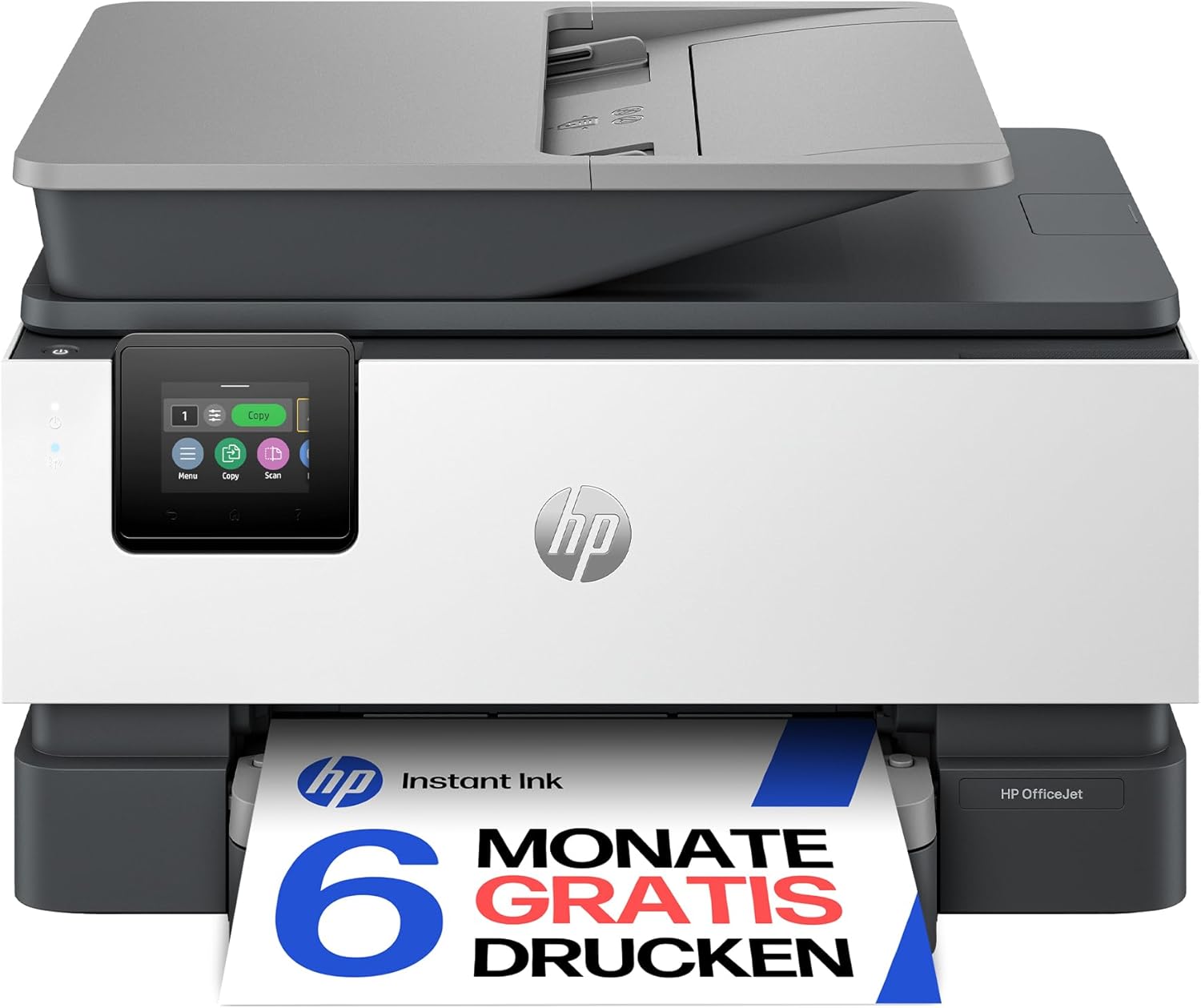
HP OfficeJet Pro 9120e Multifunction Printer, 3 Months Free Printing with HP Instant Ink Included, HP+, Printer, Scanner, Copier, Fax, Wi-Fi, LAN, Duplex, Airprint, Grey/White
ASIN: B0CQ2JJLDB
- ✓Prints, scans, copies and faxes in colour at up to 4,800 × 1,200 dpi
- ✓22 pages per minute in black, 18 in colour, with automatic two-sided printing
- ✓Colour touch display on the machine plus Wi-Fi, Ethernet and AirPrint
- ✓250 sheets in and 250 out, so a long job needs no refilling
- ✓Three trial months of HP Instant Ink, up to 700 pages a month during them
- Technology
- Inkjet, colour
- Speed
- 22 ppm black, 18 ppm colour
- Resolution
- 4,800 × 1,200 dpi
- Duplex
- Automatic
- Scanner
- Flatbed, copies at 28 ppm
- Paper capacity
- 250 sheets
- Connections
- Wi-Fi, Ethernet, USB 2.0
- Weight
- 9.3 kg
On paper the 9120e looks like a small office machine that wandered into a flat. Twenty-two black pages a minute and eighteen in colour put it ahead of the other printers here on colour work. Both trays take 250 sheets, automatic duplex halves the paper you use, and the colour touch display lets you copy and scan without a computer. Connections cover Wi-Fi, Ethernet and USB, and the scanner can save a whole stack as one multi-page PDF.
The part that deserves a slow read is HP+. Activating it during installation adds trial ink and an extra year of warranty, and online registration stretches cover to three years. HP also states plainly what it costs you in freedom: an account, a permanent internet connection, and original HP cartridges for the life of the printer. The listing describes dynamic security as well, which blocks cartridges without an HP chip. Only the printer is named in the box.
The praise for this printer is consistent, and it is about the hardware. German owners describe a printer that does exactly what it should, prints quickly and cleanly, and holds a stable duplex run. One calls it fully equipped for a home office, and singles out scans filed as tidy multi-page PDFs. A buyer in the United Kingdom found setup easy and print quality perfect, and in Spain an owner replaced a six-year-old HP and is happier than before. Print, scan and copy quality draw no argument in the reviews of the past year.
The complaints land on the software and the first evening. One three-star owner set up the hardware without trouble, then spent hours failing to make Windows and the HP tools see the printer, the scanner or the network. Plugging in an Ethernet cable fixed everything at once. A French owner puts it gently: the printer is very good, but you need some experience to initialise it, and the scanner is a second hurdle where HP's support line does the work. Another German owner warns that HP+ is a one-way street, with no way back once it is active. A one-star review from Belgium concerns delivery: the unit arrived damaged and not in its original packaging.
Pros
- Documents, colour pages and scans all come out well, with no dissent in the reviews
- Fast for a household printer, and duplex printing runs without babysitting
- Wireless setup from a phone or tablet works for most owners in minutes
- Scans can be filed straight away as a single multi-page PDF
- Registration stretches the warranty to three years
Cons
- HP's own software is where evenings disappear; one owner needed a network cable to finish
- HP+ cannot be undone after installation and ties you to original cartridges
- Scanning from a computer is the function owners most often fight with
- Nothing but the printer is listed in the box
This printer suits a home office that prints colour most weeks and wants a single box for everything, fax included. Anyone who prints a dozen black pages a month is looking at the wrong kind of printer, and so is anyone who wants to shop for cartridges freely.
Inkjet or mono laser: which home printer fits your pages
The four printers split into two pairs, and the honest way to choose is to count the pages you print in a normal month, then ask what colour is for.
Inkjet printers earn their place when colour matters: photographs, school projects, a poster for the church hall, a chart inside a report. Both HP printers here reach 4,800 × 1,200 dpi, and they print colour at eighteen and ten pages a minute. The cost of that flexibility is ink that dries out and cartridges you keep buying, and with HP+ active those cartridges have to be HP's own.
Mono laser printers answer the opposite need, printing black text on plain paper from toner that has no interest in the calendar. One German owner of the Pantum M6500NW says six months of light printing passed on the starter cartridge, while an inkjet would have needed two new ones. Toner is also quoted in pages rather than millilitres, which makes planning simple: the small Pantum takes a 1,600-page refill, and the bigger BM4309ADW takes cartridges of 1,500 or 3,000 pages behind a drum rated for 25,000. What you give up is colour, because both laser printers here work in black only.
Speed is a weaker argument than it looks, since every printer here sits between twenty and thirty pages a minute in black. That gap matters on a fifty-page document, not on the two-page form that is the real reason a printer lives in a hallway. Two-sided printing is worth more: three of these four printers turn the sheet themselves, and the fourth asks you to do it.
HP OfficeJet Pro 8132e — the cheaper colour printer with the better feeder
The 8132e is the smaller of the two HP printers, and it trades speed for something a household notices. Black printing drops to twenty pages a minute and colour to ten, and the tray holds 225 sheets instead of 250, but the scanner is an automatic duplex unit with a document feeder, so a two-sided stack goes through in one pass. Automatic duplex printing, fax, the colour touch display, Ethernet, Wi-Fi and AirPrint are all present, and resolution stays at 4,800 × 1,200 dpi. This is also the lighter and lower of the two HP printers on a shelf. HP+ and Instant Ink work exactly as on the 9120e. With 877 ratings at 3.6 this printer is both better rated and more widely tested than the 9120e.
Owners of these HP printers repeat two stories. The good one comes from a German buyer who gave up on a Canon that kept losing the network, and now prints reliably from Windows, Android and iOS. A French owner calls the printer fast and the colour clean, though it takes up a lot of desk. Setup is the bad story again, in a harder form: a one-star owner returned it after half a day, because HP Easy Start never found it and the scanner refused to work from Windows. Another owner, a year in, reports scans that stall when the app loses the machine, and one three-star owner found two-sided printing from the feeder impossible. An Italian owner adds the warning that matters most: registering with HP+ locks you to original cartridges with no route back.
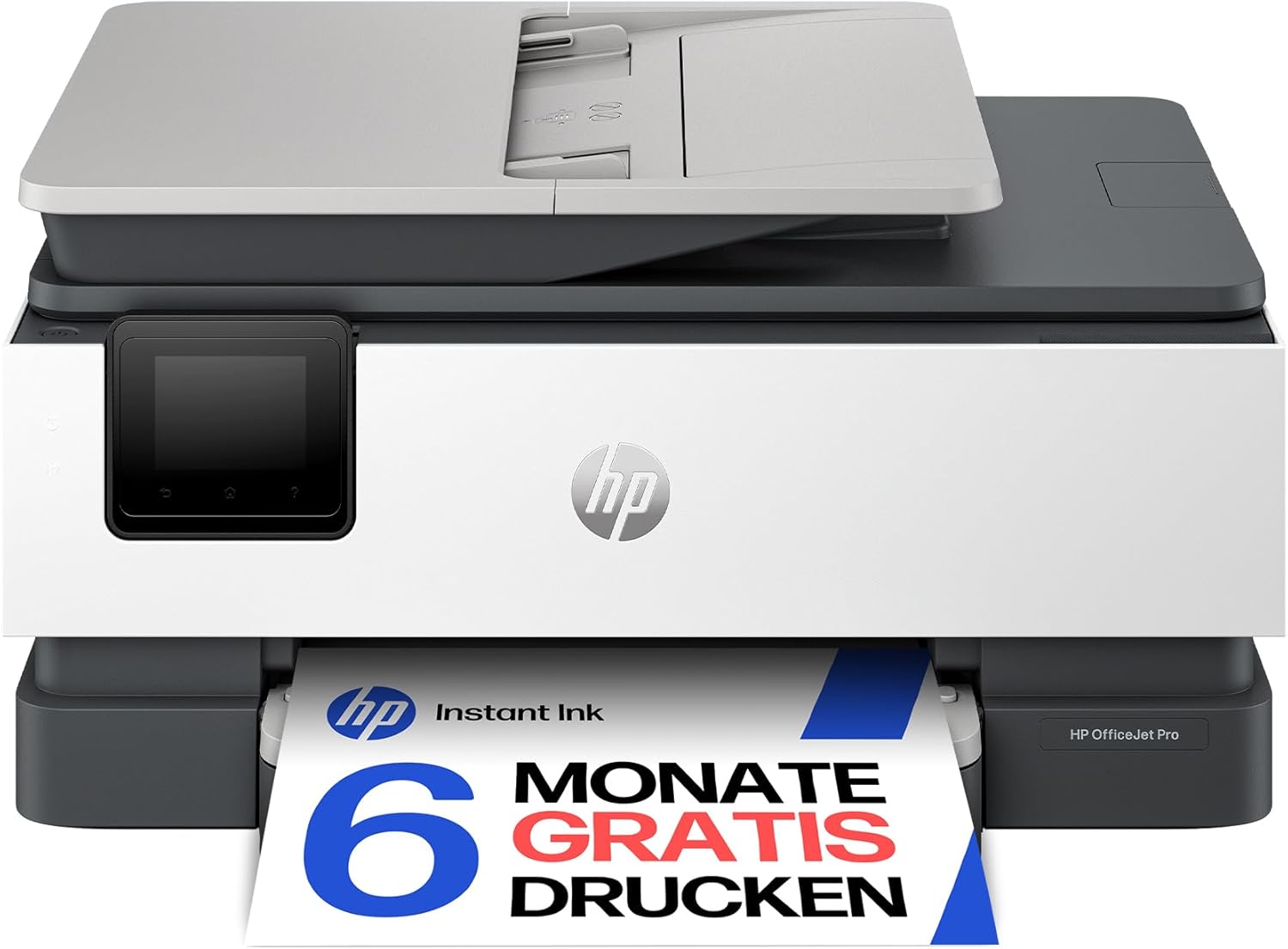
HP OfficeJet Pro 8132e Multifunction Printer, 3 Months Free Printing with HP Instant Ink Included, HP+, Printer, Scanner, Copier, Fax, WiFi, LAN, Duplex, HP ePrint, Airprint, Basalt
ASIN: B0CQ2HMTD4
- ✓Automatic duplex scanner with a feeder: a two-sided stack goes through in one pass
- ✓Colour printing at 4,800 × 1,200 dpi, 20 pages a minute in black
- ✓225-sheet feeder, automatic two-sided printing and a colour touch display
- ✓Wi-Fi, Ethernet, AirPrint and HP ePrint, plus fax
- ✓Better rated than the 9120e on almost twice as many opinions
- Technology
- Inkjet, colour
- Speed
- 20 ppm black, 10 ppm colour
- Resolution
- 4,800 × 1,200 dpi
- Duplex
- Automatic
- Scanner
- Automatic duplex, with feeder
- Paper capacity
- 225 sheets
- Connections
- Wi-Fi, Ethernet, USB
- Weight
- 8 kg
Pros
- The duplex feeder reads both sides of a stack in one pass
- Clean colour and fast printing, in several owner reports
- Prints reliably from Windows, Android and iOS once it is running
- Better rated than the 9120e on almost twice as many opinions
Cons
- HP Easy Start failed to find it for one owner, who returned it
- Scanning from Windows is the function owners fight with most
- HP+ registration locks you to original cartridges with no way back
- Takes up a lot of desk for a household printer
Pantum M6500NW — the small laser printer for a household that prints rarely
The M6500NW is the cheapest way into laser printing here and the most popular printer on this page, with 1,393 ratings at 4.4. It prints, scans and copies in black at twenty-two pages a minute and 1,200 × 600 dpi. Wi-Fi, Ethernet and USB are all supported, along with AirPrint, Mopria and the Pantum app. The tray takes 150 sheets. What it will not do is turn the page, because duplex printing, scanning and copying are all manual, so a double-sided letter means feeding the sheet back yourself. A 700-page starter toner and a USB cable come in the box, and the listing promises one year of cover in its description and two in the table.
Reviews describe a plain, mostly dependable printer. Setup from an iPhone app took a German buyer a few minutes, and he reports sharp text and not one paper jam, while a Spanish owner reports no failures at all over Wi-Fi or a network cable. Another German owner has used it for nearly a year as a second printer in the house, chose laser because he prints sporadically, and complains only that the scanner lid is wobbly and the machine is not quiet at work. A Polish owner also calls it loud, but suited to a small office. The failures are worth reading. One German buyer could never make his printer behave: it printed sometimes, then refused, and kept asking for app codes. A Swedish owner finds it falls asleep so readily that his laptop occasionally cannot find it.
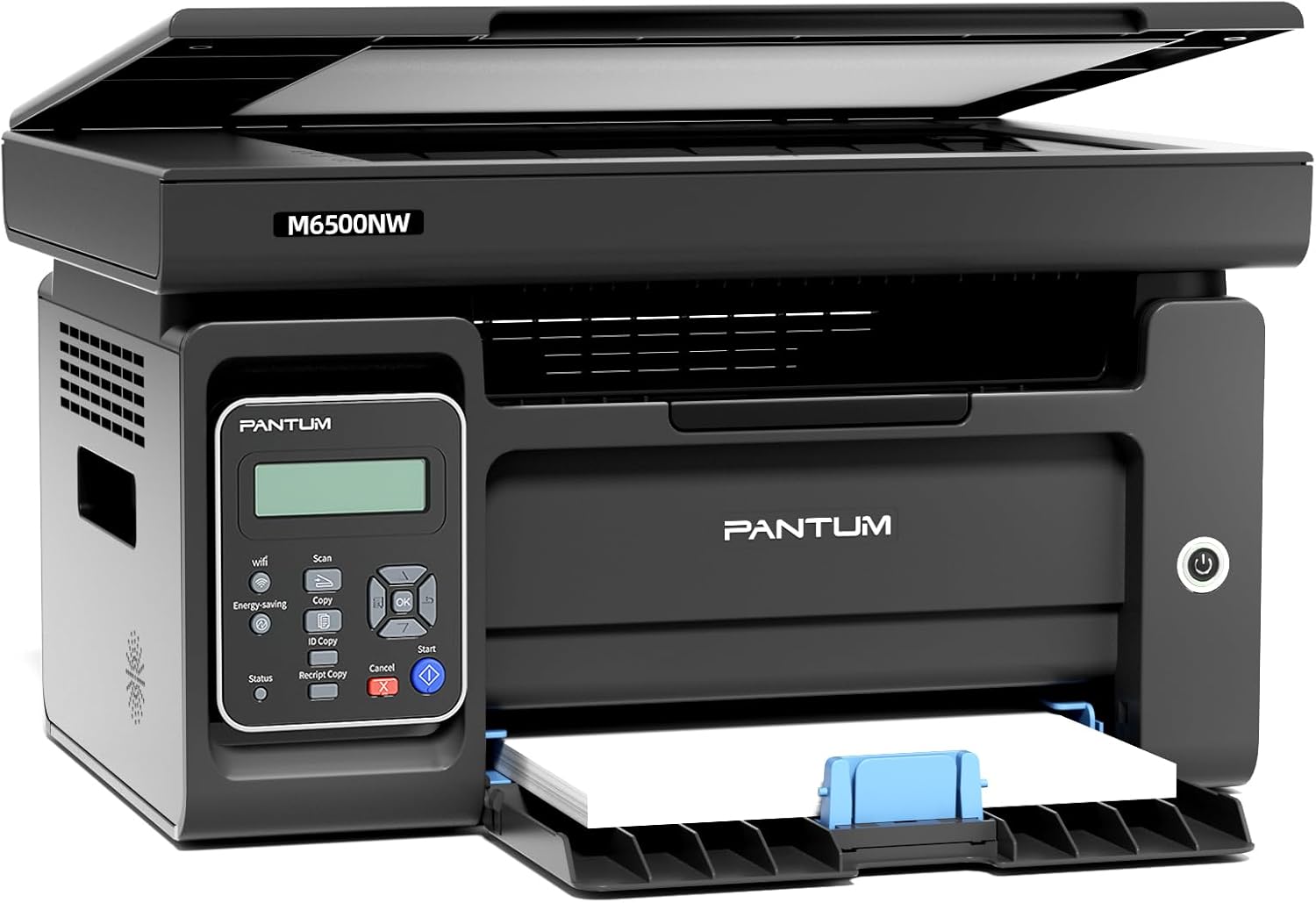
PANTUM M6500NW Multifunction Laser Printer with Scanner and Copier, Printer Wi-Fi, Black / White, Airprint, A4, 22 ppm
ASIN: B0B5Q2LCY7
- ✓Toner instead of ink: nothing dries out between the jobs you actually print
- ✓22 pages a minute in black, first page out in under eight seconds
- ✓700-page starter cartridge and a USB cable in the box, 1,600-page refills
- ✓Wi-Fi, Ethernet and USB, with AirPrint, Mopria and the Pantum app
- ✓The highest customer rating here, on almost 1,400 opinions
- Technology
- Laser, mono
- Speed
- 22 ppm black
- Resolution
- 1,200 × 600 dpi
- Duplex
- Manual
- Toner
- PA-210, 1,600 pages
- Paper capacity
- 150 sheets
- Connections
- Wi-Fi, Ethernet, USB 2.0
- Weight
- 7.5 kg
Open this product on Amazon
Amazon prices change all the time, so check the current one on the store page. To compare every Amazon store at once, use our browser extension.
Pros
- Toner survives months of silence, as owners who print rarely confirm
- Sharp text and, in one report, not a single paper jam
- Setup from the phone app took minutes for several buyers
- Highest customer rating on this page, on almost 1,400 opinions
Cons
- Every two-sided page has to be turned and fed back by hand
- Two owners call this printer loud while it works
- The flatbed lid is wobbly
- One buyer never got it stable, and it kept asking for app codes
Pantum BM4309ADW — the laser printer with a document feeder and automatic duplex
This is the fastest printer of the four at thirty pages a minute, and the only laser here with the fittings people miss once they have used them. Printing, copying and scanning are all automatically two-sided, a 50-sheet document feeder sits on top, and a 3.5-inch colour touchscreen replaces the small Pantum's two-line display. Dual-band Wi-Fi covers 2.4 and 5 GHz alongside Ethernet and USB, and the tray holds 250 sheets. This printer can also print from or scan to a USB stick with no computer involved. Pantum lists secure printing, jam recovery and creased-paper feeding, and backs the hardware for two years. The starter toner covers 1,000 pages, refills come in 1,500 and 3,000 page sizes, and the pre-installed drum is rated for 25,000 pages.
Owners are the most enthusiastic on this page and the most specific. A German household has printed about 6,000 pages in six months after years of Brother printers. Another owner, sceptical about the brand, describes razor-sharp output, quick print response and a quiet feeder, with one gripe about the awkward web interface used for settings. An Italian owner praises the touchscreen, the mute mode that makes the printer notably quieter, and a feeder that reads both sides of a sheet in one pass. He notes that power and USB cables are included, while an Ethernet cable is not. The counterweight is a one-star German review describing a wireless setup that never came right, an intrusive driver bundle and a bloated mobile app. With only 80 ratings this printer has the shortest record here, so that single verdict weighs more than it would elsewhere.
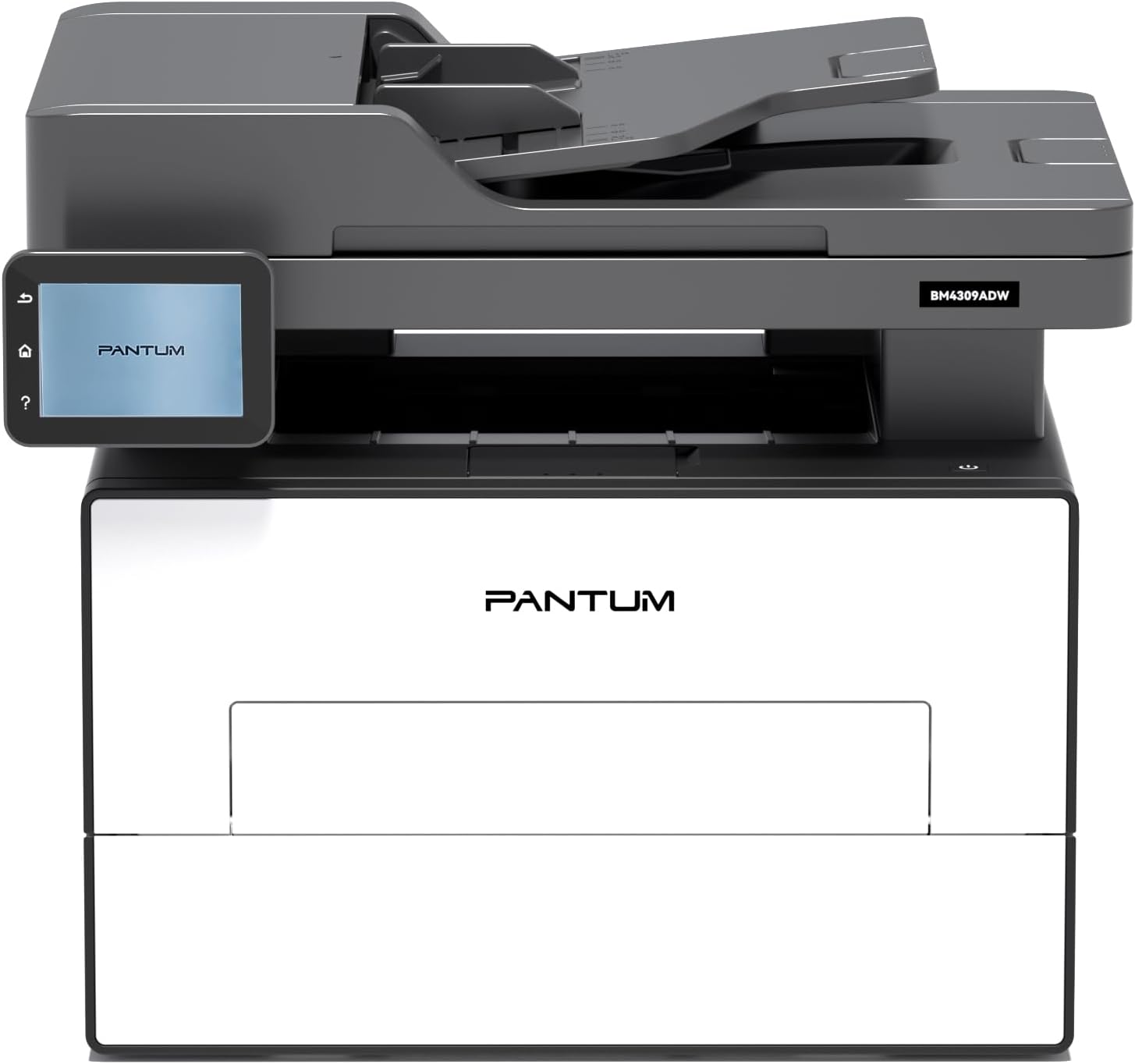
PANTUM BM4309ADW Multifunction Printer Laser Printer Black White Automatic Duplex Printing Printer Scanner Copier with ADF, WLAN/LAN/USB, 3.5 Inch Touch Screen, 30ppm
ASIN: B0F8J3WWHL
- ✓Two-sided printing, copying and scanning, all automatic, with a 50-sheet feeder
- ✓30 pages a minute and a 3.5-inch colour touchscreen
- ✓Prints from and scans to a USB stick without a computer
- ✓Dual-band Wi-Fi at 2.4 and 5 GHz, plus Ethernet and USB
- ✓Drum rated for 25,000 pages and a two-year warranty
- Technology
- Laser, mono
- Speed
- 30 ppm black
- Resolution
- 1,200 dpi
- Duplex
- Automatic, printing and scanning
- Feeder
- 50 sheets
- Toner
- TL-A4219, 1,500 or 3,000 pages
- Paper capacity
- 250 sheets
- Weight
- 11.7 kg
Open this product on Amazon
Amazon prices change all the time, so check the current one on the store page. To compare every Amazon store at once, use our browser extension.
Pros
- Two-sided printing, copying and scanning without touching the paper
- Sharp output and a quick response to a print command
- Mute mode makes it notably quieter, and the feeder runs quietly too
- One household printed 6,000 pages on it in six months
Cons
- The web interface used for settings is awkward
- One owner never finished the wireless setup, and calls the driver bundle intrusive
- The mobile app is heavy at 350 MB
- Only 80 ratings so far, the shortest record on this page
Home printer comparison by the specifications
The figures for these four printers are easier to weigh in one place.
| Parameter | HP 9120e | HP 8132e | Pantum M6500NW | Pantum BM4309ADW |
|---|---|---|---|---|
| Technology | Inkjet, colour | Inkjet, colour | Laser, mono | Laser, mono |
| Black speed | 22 ppm | 20 ppm | 22 ppm | 30 ppm |
| Colour speed | 18 ppm | 10 ppm | — | — |
| Resolution | 4,800 × 1,200 dpi | 4,800 × 1,200 dpi | 1,200 × 600 dpi | 1,200 dpi |
| Duplex printing | Automatic | Automatic | Manual | Automatic |
| Document feeder | — | Yes, duplex scanning | — | 50 sheets, duplex scanning |
| Paper capacity | 250 sheets | 225 sheets | 150 sheets | 250 sheets |
| Display | Colour touch | Colour touch | LCD | 3.5-inch colour touch |
| Consumable | HP ink cartridges | HP ink cartridges | Toner, 1,600 pages | Toner, 1,500 or 3,000 pages |
| In the box | Printer only | Printer only | 700-page toner, USB cable | 1,000-page toner, 25,000-page drum |
| Warranty | Up to 3 years with registration | Limited | 1 year in the text, 2 in the table | 2 years |
| Customer rating | 3.4 (431) | 3.6 (877) | 4.4 (1,393) | 4.2 (80) |
Read the ratings of these printers together with the crowd behind them. The HP printers average 3.4 and 3.6 on 431 and 877 opinions, so both figures are settled, and they sit a full point below the small Pantum's 4.4 from nearly 1,400 buyers. That gap is not about print quality, which owners of all four printers praise, but about everything around it: apps, drivers, subscriptions and the evening you lose to them. The 4.2 of the BM4309ADW rests on 80 ratings and is the one number here still likely to move.
Setting up a printer is where the reviews divide
Across all four printers the pattern is the same, and unusual enough to plan around. Nobody complains about how these printers put ink or toner on paper, yet almost every one-star review describes an installation that would not finish.
The HP printers attract this most often, because HP+ and the HP Smart app stand between you and printing. Two owners here lost half a day to software that could see the machine on the network but would not drive it, and one of them only succeeded after connecting an Ethernet cable. Both Pantum printers have their own version of the problem: the small one keeps asking for app codes, and the faster laser earned a furious review for a wireless setup that never came right.
So do the setup with a cable in reach — Ethernet on the HP printers, the supplied USB lead on the Pantum ones — because half the failures here vanished the moment a cable replaced the wireless handshake. Decide about HP+ before you press anything, since activation is irreversible and binds the printer to original cartridges from then on.
How to choose a home printer
- Count your colour pages first. If a year passes without one, both laser printers here will serve you better than either HP; if colour is the reason you are buying, the inkjet pair is the only real answer among these four printers.
- Read the consumable, not the printer. Toner arrives quoted in pages: 700 in the small Pantum's starter cartridge, 1,000 plus a 25,000-page drum in the bigger one. Inkjet printers with HP+ tie you to the manufacturer's own cartridges for as long as you own them.
- Decide whether the paper must be turned for you. Automatic duplex saves half your paper without a thought, and three of these printers have it; the manual duplex of the M6500NW is fine for a page or two and tiresome for a chapter.
- A document feeder is for scanning, not printing. Two printers here have one, and if you copy multi-page contracts, feeding a stack once beats lifting the lid twenty times.
- Match the tray to your habits. These printers hold 150, 225 and 250 sheets, which sounds alike until you print a fifty-page report.
- Plan the first hour. Every printer here has at least one owner who lost an evening to the software, so keep a cable nearby and treat the wireless-only setup as the optimistic path.
Frequently asked questions
- Inkjet or laser for a home printer?
- Count colour pages. A mono laser printer like the Pantum models here prints black text from toner that does not dry out between jobs, which suits a household printing a few pages a month. An inkjet such as the HP OfficeJet Pro pair prints photographs and colour documents at 4,800 × 1,200 dpi, and needs ink bought regularly whether you print or not.
- Does a printer dry out if I do not use it?
- That is an ink problem, not a laser one. One owner of the Pantum M6500NW chose laser because he prints only sporadically, and says six months passed on the starter cartridge while an inkjet would have needed two new ones in the same period.
- What does HP+ actually commit me to?
- An HP account, a permanent internet connection and original HP cartridges for the life of the printer, in exchange for trial ink and an extra year of warranty. Both HP models here state it in the listing, and two owners warn that activation during installation cannot be reversed.
- Which of these printers copies a two-sided document without my help?
- The HP 8132e and the Pantum BM4309ADW, both of which have an automatic duplex scanner with a document feeder. The 9120e has a flatbed scanner, and the M6500NW asks you to turn every sheet by hand.
- Do I need Ethernet on a home printer?
- Not for printing, but it rescued two owners here whose machines were invisible to the HP software over Wi-Fi. All four have an Ethernet port; only some ship with a cable, so check the box contents in the cards.
- Are these printers quiet enough for a living room?
- The lasers are the ones owners mention. Two buyers call the small Pantum loud in use, while an owner of the BM4309ADW singles out its mute mode as making the machine notably quieter. Neither HP draws a complaint about noise.
- How many pages does a starter toner cartridge last?
- 700 pages in the Pantum M6500NW and 1,000 in the BM4309ADW, measured at five per cent coverage. Refills are rated at 1,600 pages for the smaller printer and 1,500 or 3,000 for the larger one, which also carries a drum good for 25,000 pages.
Verdict
Every model on the same criteria
Score against price
- HP 9120e3.8 at about €179
- HP 8132e3.7 at about €130
- Pantum M6500NW4.1 at about €153
- Pantum BM4309ADW4.3 at about €180
The overall score divided by the typical price, with the best in the group as the full bar. A rough guide, not a verdict — a cheap model that misses the feature you need is no bargain.
Read the bars as trade-offs between these printers, not as a ranking. The two HP printers own the colour column and lose the running-costs one, because ink dries and HP+ decides where you buy cartridges. The two lasers reverse both results. Within each pair the split is narrow: the 8132e swaps a little speed for a duplex feeder, and the BM4309ADW adds to the M6500NW exactly the fittings the small laser lacks — automatic duplex, a feeder and a touchscreen. Setup drags every score down, and it drags the HP printers down hardest.
The mistake to avoid is buying a colour printer you never use in colour, then paying for it whenever the cartridges run dry. Count the pages you print in a normal month, decide once whether any of them need colour, and let that answer pick your printer.