Confronto monitor gaming: 4 schermi da 27 pollici da 100 a 280 Hz
Monitor gaming sotto 200 €
Un monitor gaming da 27 pollici è diventato quasi senza farsi notare la misura standard su una scrivania da gioco. È abbastanza grande per offrire un'immagine nitida in 1440p, ma entra ancora su un tavolo normale e permette di vedere tutta l'area di gioco senza dover girare la testa. Il problema arriva quando apri le inserzioni: decine di display hanno la stessa diagonale, lo stesso formato 16:9 e un aspetto simile, ma poi si comportano in modo molto diverso appena inizia una partita.
La vera differenza sta in quattro numeri e una parola. La frequenza di aggiornamento decide quanto fluidi sembrano i movimenti, la risoluzione decide quanti dettagli mostra lo schermo, il tempo di risposta decide quanto resta pulito il movimento veloce, e il tipo di pannello decide colori e contrasto. Un monitor mostra 280 fotogrammi al secondo in Full HD, un altro offre un'immagine QHD molto più definita a 180 Hz, e un terzo si ferma a 100 Hz e costa molto meno. Nessuno di questi display è sbagliato; semplicemente, si adattano a giocatori diversi.
Questo confronto tra monitor gaming mette uno accanto all'altro quattro modelli da 27 pollici: Samsung Odyssey G50F, KTC H27T7P, Z-Edge UG27P curvo e il più tranquillo KTC H27D9. Tutti e quattro stanno nella stessa fascia — nella maggior parte dei negozi restano sotto $200, e il gruppo si avvicina a $175 — quindi la scelta non riguarda classi di prezzo diverse, ma quale compromesso sei disposto ad accettare. Ogni specifica qui sotto arriva dalle schede prodotto, mentre le impressioni vengono da chi usa già questi monitor. Le specifiche complete e i prezzi Amazon per negozio sono raccolti nelle card.
I modelli di questo confronto
Prezzo tipico di questi modelli: circa 153 €. Cifre approssimative, ricavate dai prezzi dei negozi convertiti a tassi fissi: quanto paghi dipende anche dal negozio e dalla regione da cui ordini. Con la nostra estensione per il browser puoi confrontare tutti i negozi Amazon in una volta, direttamente sulla pagina del prodotto.
Samsung Odyssey G50F — un monitor gaming da 180 Hz con supporto completo
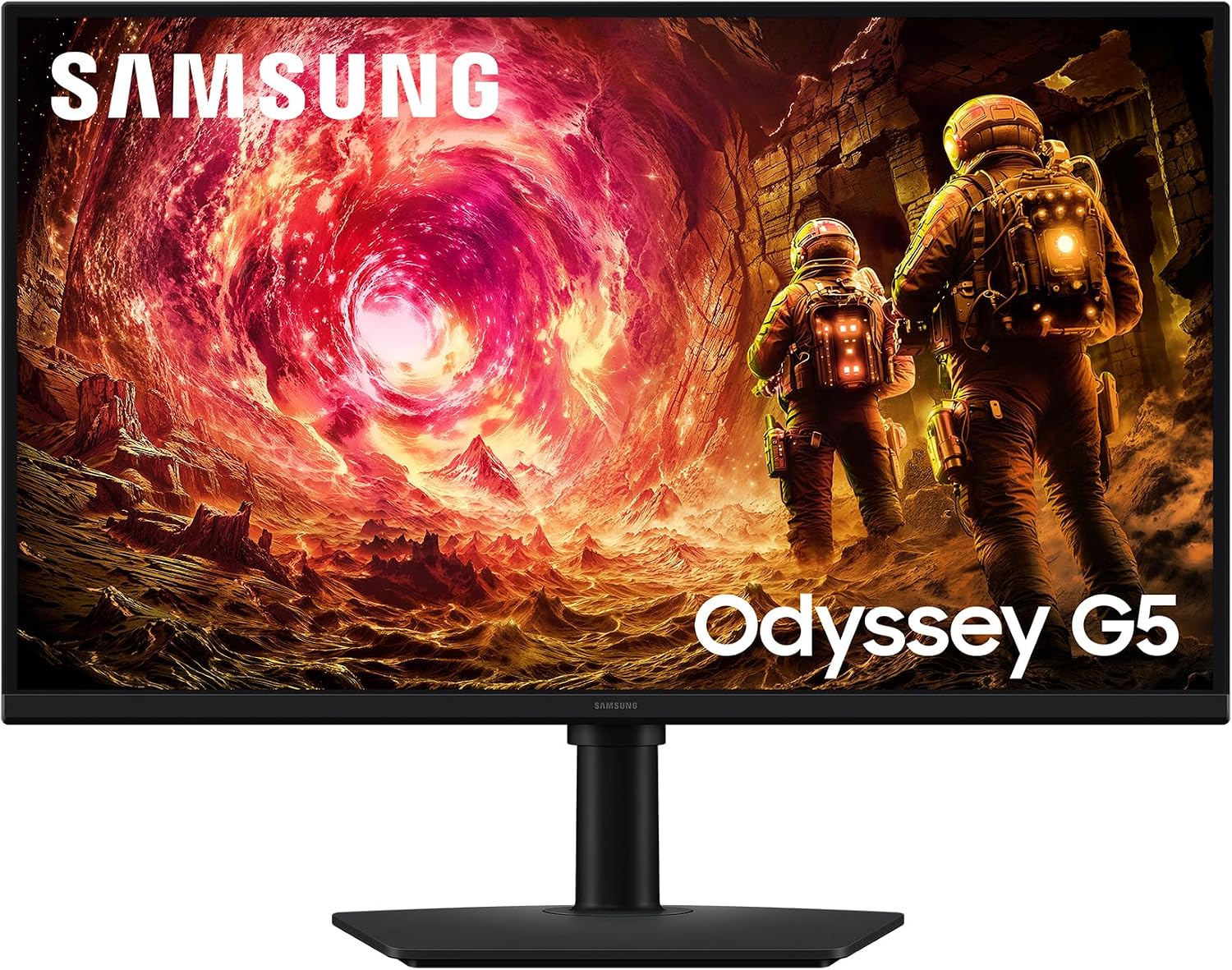
Monitor gaming Samsung Odyssey G50F da 27 pollici, IPS, QHD, 180Hz
ASIN: B0FX39Q2TN
- ✓Pannello Fast IPS a 180 Hz con tempo di risposta di 1 ms (GtG)
- ✓Risoluzione QHD di 2560 × 1440 su schermo opaco da 27 pollici
- ✓AMD FreeSync Premium e NVIDIA G-Sync contro tearing e scatti
- ✓Supporto regolabile in altezza, inclinazione, rotazione e modalità verticale
- Dimensione schermo
- 27 pollici
- Risoluzione
- QHD, 2560 × 1440
- Frequenza di aggiornamento
- 180 Hz
- Tempo di risposta
- 1 ms (GtG)
- Pannello
- IPS, opaco, 1000:1
- Ingressi video
- 1 × HDMI, 1 × DisplayPort
L'Odyssey G50F è il modello più equilibrato di questo gruppo. Il suo pannello Fast IPS lavora a 180 Hz con un tempo di risposta grey-to-grey di 1 ms, più di quanto chieda la maggior parte dei giocatori a un monitor da gaming, e la risoluzione QHD offre circa il doppio dell'area di lavoro rispetto a un display 1080p. Sono supportati entrambi gli standard di sincronizzazione, quindi lo schermo evita il tearing sia con una scheda AMD sia con una NVIDIA. Il punto forte qui è il supporto: altezza, inclinazione, rotazione laterale e passaggio completo in verticale, mentre molti monitor rivali in questa fascia si limitano a una semplice cerniera per l'inclinazione. Samsung include nella confezione un cavo HDMI e un cavo DisplayPort, e il monitor pesa solo 4,1 kg, quindi una persona sola può montarlo in pochi minuti.
Chi ha comprato questo monitor gaming QHD lo descrive quasi sempre con le stesse parole: immagine pulita e nitida, cornici sottili, montaggio semplice e resa valida sia per il lavoro d'ufficio sia per uno shooter. Diversi utenti sono passati da vecchi monitor 1080p e hanno notato il peso ridotto quasi quanto la maggiore risoluzione. Anche le critiche sono abbastanza coerenti, e contano. Non ci sono altoparlanti integrati, quindi l'audio deve arrivare da cuffie o casse da scrivania. C'è un solo ingresso HDMI, che è poco se console e laptop vogliono entrambi una porta. Il logo HDR10 è più un'etichetta che una funzione reale, perché la retroilluminazione non è abbastanza luminosa per un vero high dynamic range, e alcuni proprietari hanno regolato i colori prima di ottenere un'immagine convincente. Un acquirente ha ricevuto un'unità con bleeding visibile negli angoli e l'ha restituita.
Pro
- Immagine QHD nitida e movimento fluido a 180 Hz
- Supporto con regolazione in altezza, rotazione e modalità verticale
- Corpo leggero e cornici sottili per una scrivania con due schermi
- Cavi HDMI e DisplayPort inclusi
Contro
- Nessun altoparlante integrato
- Un solo ingresso HDMI
- Il supporto HDR10 è nominale, non offre una vera esperienza HDR luminosa
- I colori possono richiedere regolazioni appena tolto dalla scatola
Questo schermo è adatto a chi vuole un unico pannello per tutto — giochi la sera, documenti e foto durante il giorno — e dà valore a un supporto davvero regolabile. Chi invece pensa di collegare due console, o vuole l'audio senza hardware aggiuntivo, dovrebbe continuare a leggere.
KTC H27T7P — un monitor gaming QHD da 200 Hz con quattro ingressi
Questo modello sembra il Samsung con il volume alzato. Mantiene la risoluzione QHD da 27 pollici e il pannello Fast IPS con risposta di 1 ms, poi porta la frequenza a 200 Hz, con una modalità overclock che arriva a 210 Hz. Il secondo vantaggio è il colore: uscita a 10 bit, 1,07 miliardi di sfumature e copertura 131% sRGB, più certificazione HDR400, che è un passo reale sopra un semplice logo HDR10. Il supporto sale di 130 mm, si inclina e ruota in verticale, e sul retro ci sono due porte DisplayPort 1.4 e due HDMI 2.0, quindi PC, console e laptop possono restare collegati insieme.
Chi ha provato questo monitor gaming IPS in giochi scuri e lenti segnala assenza di black smearing e ghosting, e diversi utenti dicono di averlo ricevuto senza nemmeno un pixel morto, cosa non scontata in questa fascia. Le cornici sono abbastanza sottili per una postazione multi-schermo, e il monitor si comporta bene anche in verticale. Dall'altra parte, non ci sono altoparlanti — solo un'uscita da 3,5 mm per le cuffie — e la porta USB serve per aggiornare il firmware, non per funzionare come hub. Un acquirente ha avuto un guasto dopo due mesi e ha fatto fatica a contattare il produttore, quindi conviene registrare l'acquisto e conservare la fattura.
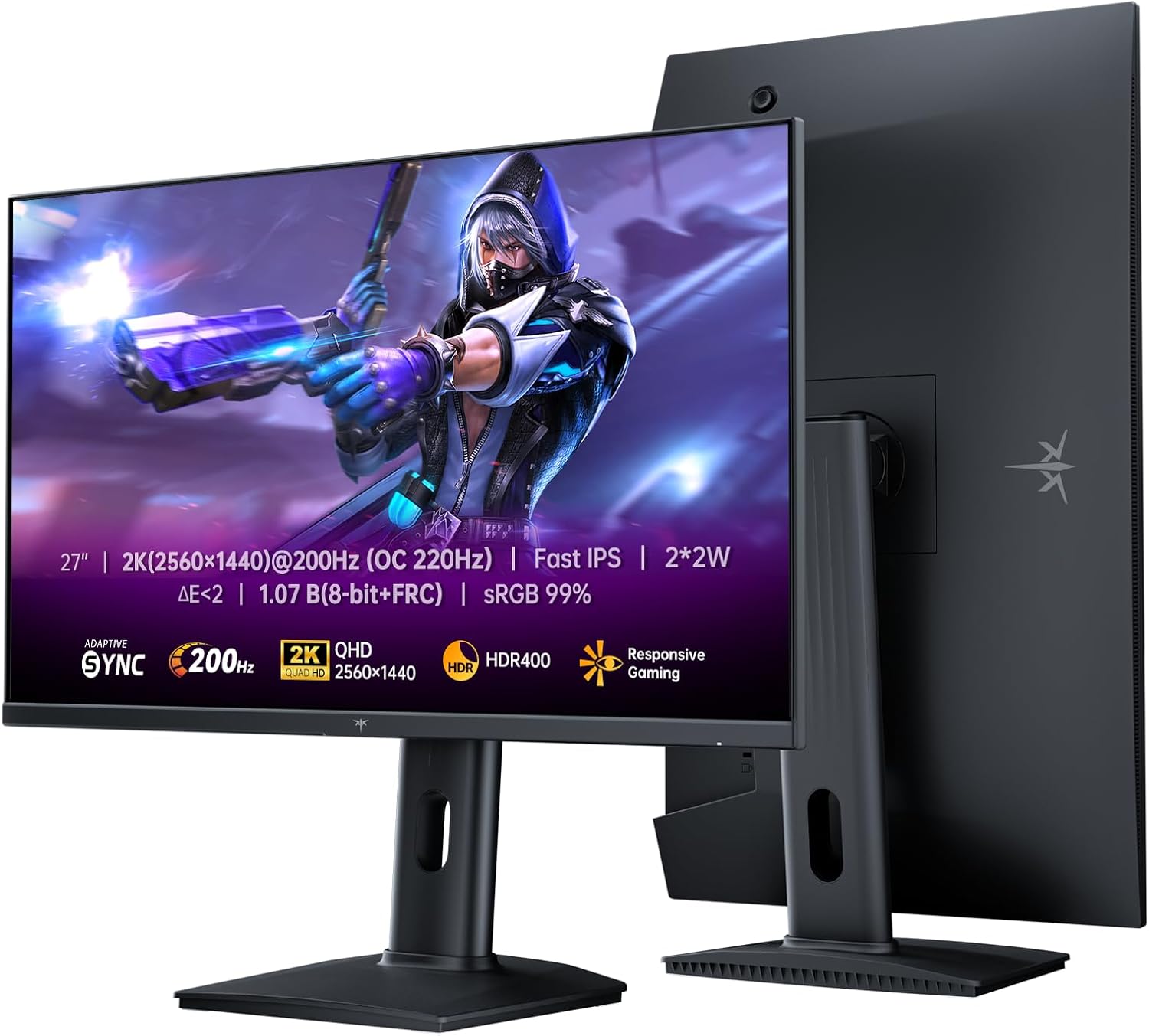
Monitor gaming KTC da 27 pollici, QHD 2560 x 1440, 200Hz (OC 210Hz), Fast IPS
ASIN: B0GH7PMPQ8
- ✓Frequenza di aggiornamento di 200 Hz, 210 Hz con overclock
- ✓Pannello Fast IPS con risposta di 1 ms e colore a 10 bit
- ✓HDR400 e copertura 131% sRGB per sfumature più ricche
- ✓Due ingressi DisplayPort e due HDMI sullo stesso schermo
- Dimensione schermo
- 27 pollici
- Risoluzione
- QHD, 2560 × 1440
- Frequenza di aggiornamento
- 200 Hz (210 Hz OC)
- Tempo di risposta
- 1 ms
- Pannello
- Fast IPS, 1000:1
- Ingressi video
- 2 × DisplayPort 1.4, 2 × HDMI
Apri questo prodotto su Amazon
I prezzi Amazon cambiano di continuo: controlla quello attuale sulla pagina del negozio. Per confrontare tutti i negozi Amazon in una volta, usa la nostra estensione per il browser.
Z-Edge UG27P — un monitor gaming curvo pensato per la velocità
Lo Z-Edge segue la logica opposta. Questo display torna al Full HD 1920 × 1080 e investe tutto sul movimento: 280 Hz via DisplayPort, 240 Hz via HDMI e tempo di risposta di 1 ms MPRT. Il monitor ha una curvatura 1500R, che avvicina leggermente i bordi verso di te, e il pannello VA offre un contrasto di 4000:1 che nessun IPS qui riesce a eguagliare — i neri appaiono profondi invece che grigi. FreeSync gestisce il tearing, HDR10 migliora un po' le scene luminose, e si può attivare un mirino a schermo per gli shooter. Sul retro ci sono quattro porte video, due HDMI e due DisplayPort.
Il limite è la risoluzione. Su 27 pollici, il 1080p è visibilmente meno definito del 1440p, e soprattutto il testo perde nitidezza, quindi questo monitor curvo ha senso più per il gioco competitivo che per i fogli di calcolo. Non ci sono altoparlanti, cosa che ha sorpreso almeno un acquirente, e il supporto consente solo l'inclinazione. Alcune famiglie hanno comprato il monitor per giocare su console e si sono dichiarate soddisfatte dell'immagine e della luminosità. Un proprietario ha visto il monitor guastarsi dopo dieci mesi, e la sostituzione è arrivata entro una settimana in garanzia, anche se la copertura standard è di un solo anno a meno di estenderla registrando il prodotto.
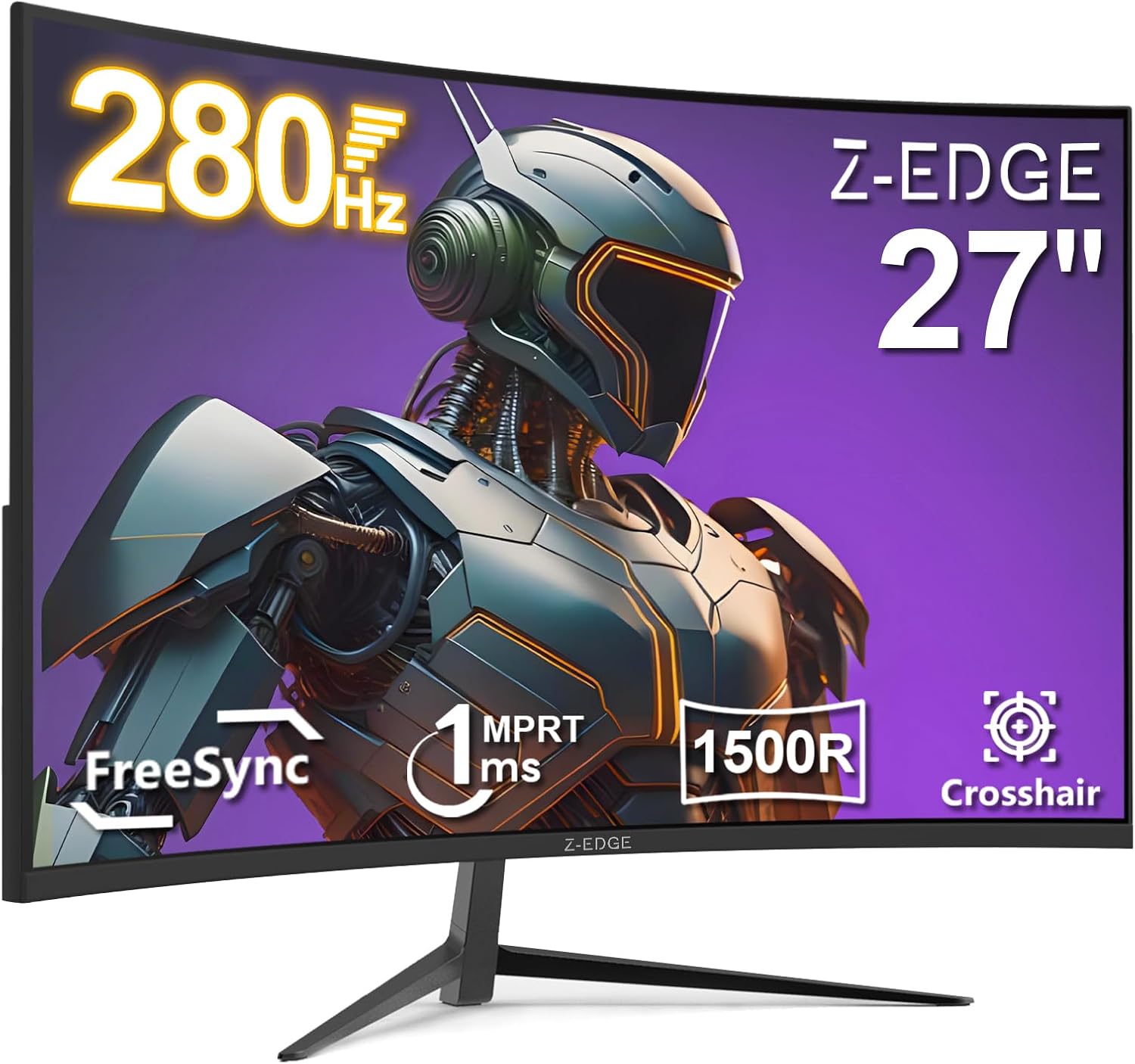
Monitor gaming curvo Z-Edge da 27 pollici 280Hz 240Hz 1ms VA
ASIN: B0BTM62WTB
- ✓280 Hz via DisplayPort e 240 Hz via HDMI
- ✓Pannello VA curvo 1500R con contrasto 4000:1
- ✓Mirino a schermo e FreeSync per gli shooter
- ✓Quattro ingressi video: 2 × HDMI 2.0 e 2 × DisplayPort 1.2
- Dimensione schermo
- 27 pollici, curvo 1500R
- Risoluzione
- Full HD, 1920 × 1080
- Frequenza di aggiornamento
- 280 Hz (DisplayPort)
- Tempo di risposta
- 1 ms (MPRT)
- Pannello
- VA, 4000:1, 350 cd/m²
- Garanzia
- 1 anno dal produttore
KTC H27D9 — un monitor gaming economico per giocare senza troppe pretese
L'H27D9 è il fratello tranquillo del KTC qui sopra: la stessa nitidezza QHD da 27 pollici su pannello IPS, ma 100 Hz invece di 200 Hz, con un passaggio in overclock a 120 Hz e risposta di 5 ms. Per strategici, giochi di ruolo e titoli console bloccati comunque a 60 frame, è più che sufficiente, e i dati sul colore sono forti per un monitor gaming economico — 96% DCI-P3 e 126% sRGB. Questo modello offre anche la copertura più lunga del gruppo, tre anni, più una modalità anti-luce blu, due ingressi HDMI, una DisplayPort e un jack per cuffie.
Il punteggio alto, distribuito su più di mille valutazioni, dice qualcosa sulla costanza del prodotto. Gli utenti usano questi monitor in coppia per l'home office e apprezzano il testo nitido, i colori IPS ricchi dopo una breve calibrazione e il piccolo joystick dietro lo schermo per i menu. Due limiti meritano attenzione. Il supporto si inclina solo tra −5° e 15°, e il produttore dichiara che il monitor non è pensato per supporti VESA a parete, quindi un braccio da scrivania non è un'opzione. Un acquirente ha anche avuto un'unità con problemi in standby, e un altro ha dovuto usare il cavo incluso per raggiungere risoluzione e refresh rate massimi.
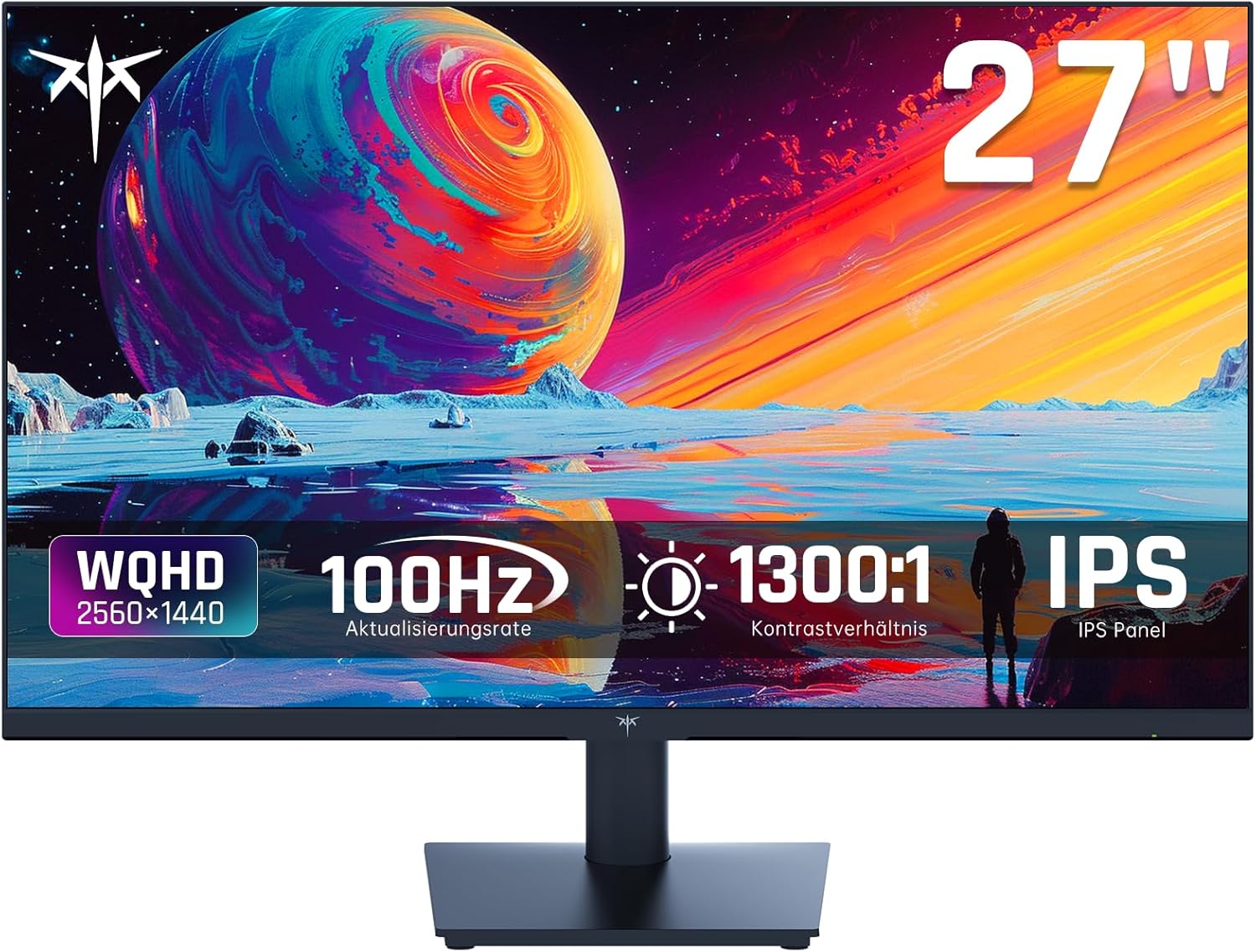
Monitor KTC da 27 pollici, QHD 2K, 100 Hz (OC 120 Hz), pannello IPS
ASIN: B0DZ6T3YXZ
- ✓Nitidezza QHD su pannello IPS con una spesa contenuta
- ✓100 Hz con passaggio in overclock a 120 Hz
- ✓Copertura colore 96% DCI-P3 e 126% sRGB
- ✓Garanzia del produttore di tre anni e modalità anti-luce blu
- Dimensione schermo
- 27 pollici
- Risoluzione
- QHD, 2560 × 1440
- Frequenza di aggiornamento
- 100 Hz (120 Hz OC)
- Tempo di risposta
- 5 ms
- Pannello
- IPS, 1300:1, 350 cd/m²
- Ingressi video
- 2 × HDMI, 1 × DisplayPort
Apri questo prodotto su Amazon
I prezzi Amazon cambiano di continuo: controlla quello attuale sulla pagina del negozio. Per confrontare tutti i negozi Amazon in una volta, usa la nostra estensione per il browser.
Confronto dei monitor gaming in base alle specifiche
Le differenze tra questi monitor sono più facili da valutare quando i dati principali sono raccolti in una sola tabella.
| Parametro | Samsung Odyssey G50F | KTC H27T7P | Z-Edge UG27P | KTC H27D9 |
|---|---|---|---|---|
| Risoluzione | 2560 × 1440 | 2560 × 1440 | 1920 × 1080 | 2560 × 1440 |
| Frequenza di aggiornamento | 180 Hz | 200 Hz (210 OC) | 280 Hz | 100 Hz (120 OC) |
| Tempo di risposta | 1 ms GtG | 1 ms | 1 ms MPRT | 5 ms |
| Pannello | IPS | Fast IPS | VA, curvo | IPS |
| Contrasto | 1000:1 | 1000:1 | 4000:1 | 1300:1 |
| Sincronizzazione adattiva | FreeSync Premium, G-Sync | FreeSync | FreeSync | FreeSync, G-Sync |
| Ingressi video | 1 HDMI, 1 DP | 2 HDMI, 2 DP | 2 HDMI, 2 DP | 2 HDMI, 1 DP |
| Supporto | Altezza, inclinazione, rotazione, pivot | Altezza, inclinazione, pivot | Inclinazione | Inclinazione |
| Valutazione clienti | 4.3 (62) | 4.3 (1576) | 4.5 (801) | 4.5 (1255) |
Se leggi le righe in orizzontale, i quattro schermi mostrano caratteri ben distinti. Il Samsung è il tuttofare con il supporto migliore e con entrambi gli standard di sincronizzazione. Il KTC H27T7P offre sulla carta il pacchetto più completo, con più velocità, colore migliore e il doppio degli ingressi. Lo Z-Edge è il velocista del gruppo, imbattibile per refresh rate e contrasto ma un passo indietro nella nitidezza. L'H27D9 copre bene le basi con la spesa più bassa e lascia da parte gli estremi.
Cosa dicono gli acquirenti di questi monitor
Le recensioni di tutti e quattro i monitor concordano su più punti di quanti ne dividano. Nessuno si lamenta della nitidezza dei tre modelli QHD: il 1440p su 27 pollici è il punto in cui il testo resta definito e un gioco mantiene i suoi dettagli. Nessuno si lamenta nemmeno della velocità, e perfino il monitor da 100 Hz sembra fluido a chi arriva da un vecchio display a 60 Hz.
Le critiche si concentrano in tre aree. La prima è l'audio: tre di questi quattro monitor non hanno affatto altoparlanti, e gli utenti continuano a scoprirlo dopo l'apertura della scatola. La seconda è il controllo qualità, perché i proprietari dei modelli KTC e Samsung citano pixel bloccati, luminosità non uniforme o bleeding della retroilluminazione su singole unità — casi rari, ma abbastanza reali da rendere sensato controllare un monitor nuovo su un'immagine nera durante il periodo di reso. La terza è l'assistenza. Due utenti hanno descritto guasti entro il primo anno; un monitor è stato sostituito in garanzia entro una settimana, mentre l'altro proprietario ha aspettato troppo a lungo una risposta, che è il rischio reale con marchi meno noti.
Come scegliere un monitor gaming da 27 pollici
Frequenza di aggiornamento. Abbinala ai giochi che usi davvero e alla scheda che li fa girare. Gli shooter competitivi beneficiano di ogni frame, quindi un monitor da 200 Hz fa una differenza visibile lì; giochi narrativi, strategici e titoli console raramente superano i 120 frame, e i monitor da 100 Hz li mostrano tutti.
Risoluzione. Su questa diagonale, il QHD è la scelta naturale. Raddoppia il dettaglio del Full HD e lascia spazio per due finestre affiancate, al prezzo di una scheda grafica più potente. Scegli un monitor 1080p solo se i frame contano più dei pixel.
Tipo di pannello. IPS offre colori accurati e ampi angoli di visione, ed è per questo che tre di questi monitor lo usano. VA offre neri più profondi e contrasto più alto, quindi un pannello VA rende meglio nelle scene scure ma può lasciare un po' di scia nei movimenti rapidi.
Ergonomia. I monitor più economici riducono il supporto a una semplice inclinazione, e sembra una piccola rinuncia finché non resti alla scrivania per tre ore. La regolazione in altezza è la più importante, e il pivot è un extra utile per codice o documenti lunghi. Se il monitor supporta VESA, un braccio risolve il problema in seguito.
Porte e audio. Conta prima i dispositivi: un solo HDMI basta per un PC, ma una console ne richiede un secondo. E dato che gli altoparlanti integrati sono la prima cosa che i produttori eliminano, conviene prevedere fin dall'inizio cuffie o casse da scrivania.
Garanzia. La copertura va da uno a tre anni tra questi monitor. Con marchi meno conosciuti, questa differenza vale più di qualche hertz in più.
Domande frequenti
- 180 Hz bastano per giocare o è meglio andare più in alto?
- Per quasi tutti, sì. Oltre 180 Hz i vantaggi sono piccoli e li notano solo i giocatori competitivi, e prima di tutto la tua scheda grafica deve riuscire a produrre quei frame.
- QHD o Full HD su uno schermo da 27 pollici?
- QHD, nella maggior parte dei casi. A questa dimensione il 1080p appare morbido, soprattutto nel testo. Il Full HD ha senso quando vuoi il frame rate più alto e la tua scheda è modesta.
- Questi modelli hanno altoparlanti integrati?
- Samsung Odyssey G50F, KTC H27T7P e Z-Edge UG27P non ne hanno. Conviene prevedere cuffie o altoparlanti separati; i modelli KTC offrono un jack per cuffie.
- Posso collegare una console da gioco?
- Sì, tutti e quattro hanno HDMI. Il Samsung ha un solo ingresso HDMI, quindi console e PC dovrebbero condividerlo, mentre gli altri tre ne hanno due.
- Per giocare è meglio IPS o VA?
- IPS vince per precisione dei colori e angoli di visione, VA vince per contrasto e livello del nero. Per un uso misto IPS è la scelta più sicura; per giochi scuri in una stanza buia VA è interessante.
- Cosa significa frequenza di aggiornamento in overclock?
- È un'impostazione che spinge il pannello oltre la velocità dichiarata, per esempio da 200 Hz a 210 Hz. Il guadagno è piccolo e funziona solo con il cavo e la porta corretti.
Verdetto
Tutti i modelli con gli stessi criteri
Voto rispetto al prezzo
- Samsung Odyssey G50F4.2 a circa 170 €
- KTC H27T7P4.5 a circa 152 €
- Z-Edge UG27P4.1 a circa 165 €
- KTC H27D93.9 a circa 125 €
Il voto complessivo diviso per il prezzo tipico, con il migliore del gruppo che riempie tutta la barra. È un'indicazione di massima, non un verdetto: un modello economico senza la funzione che ti serve non è un affare.
Leggi le barre come compromessi, non come una classifica. Tre di questi monitor sono monitor gaming 1440p e uno no, e questa sola riga spiega gran parte della differenza nella nitidezza. Il più veloce del gruppo è anche il meno definito e quello con meno regolazioni. I due monitor con i supporti migliori sono anche i due con meno hertz di differenza tra loro. Qui non c'è nulla di debole: le medie clienti vanno da 4.3 a 4.5 su quasi quattromila valutazioni complessive.
Quindi scegli il display in base a come giochi, non al numero più grande stampato sulla scatola. Decidi prima se ti servono i dettagli del QHD o il frame rate più alto, poi conta i dispositivi che devono restare collegati, poi controlla quanto si muove il supporto. Queste tre risposte da sole tagliano la lista a metà, e solo dopo ha senso confrontare quanto chiede ogni negozio.