Mesh Wi-Fi system for a large house: four sets from Wi-Fi 6 to Wi-Fi 7
Mesh Wi-Fi systems under €350
The router that arrives with an internet contract stands wherever the cable enters the building, and it broadcasts in a circle from that single point. Every brick wall and floor slab between it and the far bedroom takes a slice out of the signal. In a small flat that hardly matters; in a house of three floors it produces the room where video calls freeze and the corner of the garden where a camera falls off the network.
A mesh Wi-Fi system answers the problem with several small units instead of one large router. The first unit of the system plugs into the modem, and the others stand in the rooms that used to be dead. Together they carry a single network name through the whole building, so a phone walking from the kitchen to the attic hands over between them without asking its owner to choose.
This mesh Wi-Fi comparison sets four systems beside each other: a three-node Wi-Fi 6 system from TP-Link, a faster Wi-Fi 6 system from Tenda, a two-node Wi-Fi 7 pair from devolo and a Wi-Fi 7 Orbi trio from NETGEAR. In most stores each one stays under $380, and the group sits near $240, so the choice is not about budget classes but about what these systems do differently. What separates them is the node count, the wireless generation, the sockets on the back and the part no specification sheet shows: how the software behaves. Every figure comes from the listings and every opinion from owners, while the cards carry the parameters and the per-store Amazon prices.
Models in this comparison
Typical price across these models: about €225. Rough figures from store prices converted at fixed rates: what you pay also depends on the store and the region you order from. With our browser extension you can compare every Amazon store at once, right on the product page.
TP-Link Deco X1500, the three-node mesh system on Wi-Fi 6
The X1500 is the plain, inexpensive end of these mesh systems, and its numbers say so honestly. Wi-Fi 6 runs on the 5 GHz band at 1,201 Mbps, while the 2.4 GHz band stays on the older 802.11n standard at 300 Mbps — a limit TP-Link prints in the listing rather than hiding. Three identical units cover a stated 520 m², each carries two Gigabit sockets, and the whole set is run from the Deco app. The network also accepts any other Deco model, so a garage or a loft conversion joins later instead of forcing a replacement.
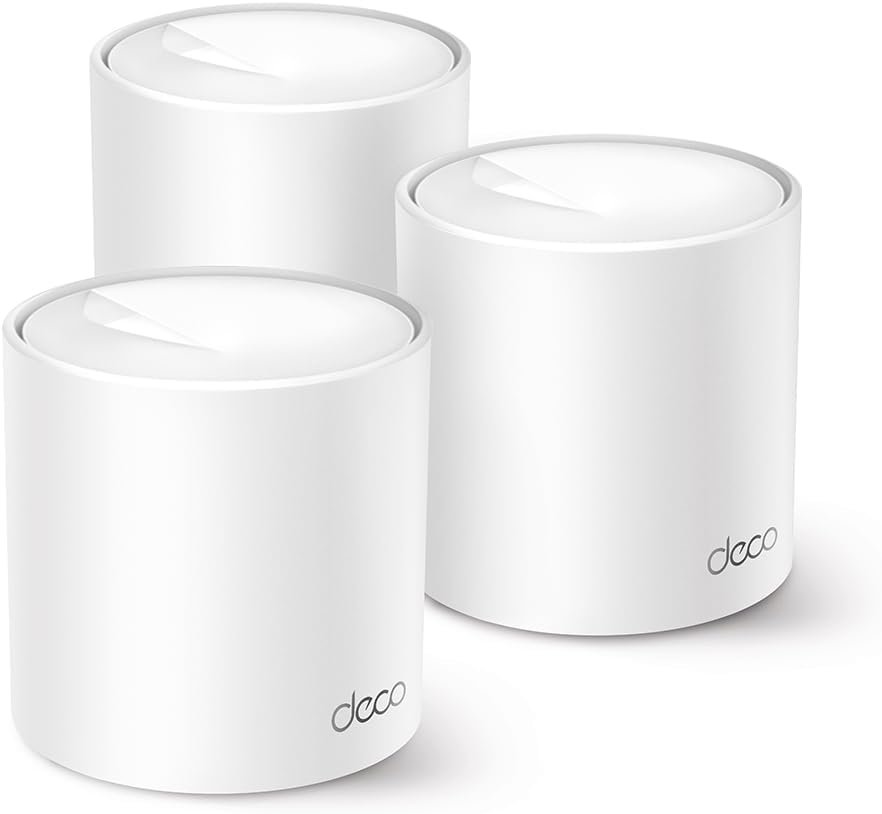
TP-Link Deco X1500 Mesh WLAN Set (3 Pack), WI-FI AX1500 Dual Band Router & Repeater, 2 x Gigabit Ports for Each Unit, for Houses with 4-5 Bedrooms, Comprehensive Youth Protection, WPA3
ASIN: B0CL573PRH
- ✓Three units in the box, stated for homes of four to five bedrooms
- ✓Wi-Fi 6 on the 5 GHz band at 1,201 Mbps, 300 Mbps on 2.4 GHz
- ✓Two Gigabit sockets on every unit, so any node can be wired
- ✓Parental profiles with time limits and website blocking
- ✓Joins one network with any other Deco model, so the set can grow
- Units in the box
- 3
- Wi-Fi generation
- Wi-Fi 6 (802.11ax), dual band
- Combined speed
- 1,500 Mbps
- Stated coverage
- 520 m²
- Ports per unit
- 2 × Gigabit
- Security
- WPA3
- In the box
- 3 units, 3 power adapters, Ethernet cable, guide
- Warranty
- 3 years
Setup is the theme buyers name first, and they measure it in minutes. A German owner replacing an older Deco system used the app's option for moving a main unit, which carried the whole configuration across in two minutes with the same network name and password. Another had the first unit running in five minutes and watched the app find the other two by itself. The same verdict on this mesh system arrives from the United Kingdom, Australia, Italy, Sweden and Brazil: easy installation, strong signal, no dropouts between rooms.
Coverage is the second theme, and the reports on this system are specific. A buyer covers 159 m² over two floors with only two of the three units, where a more expensive system had needed three. Another owner reports that the system covers an awkward floor plan through thick walls. The owner of an old stone house wired his two furthest nodes with Ethernet cable and removed the last of the signal loss.
Two complaints about this mesh system deserve attention before ordering. The system starts in router mode, and an owner found that his network printer had vanished from the home network until he switched the units into access point mode — a change explained on the TP-Link support site rather than in the app. The second is not the product's fault: a buyer received a system in which a unit and an adapter had clearly been used.
Pros
- Setup through the app takes minutes, and settings move across from an older Deco
- Three nodes cover an awkward floor plan, through thick walls and between floors
- Every unit has two Gigabit sockets, so nodes can be wired where the air link is weak
- Any other Deco model joins the same network, so the set can be extended later
- Parental profiles and WPA3 come as standard, with no subscription attached
Cons
- The 2.4 GHz band is not Wi-Fi 6, so older devices see none of the new standard
- Router mode is the default, and a home network with a printer or NAS needs access point mode
- That change of mode is documented on the support site, not inside the app
- The headline speed is the lowest of the four systems here
This mesh system suits a normal home with a normal internet line: several rooms, dead corners, thirty devices, nobody counting milliseconds. Anyone on fibre above a gigabit, or moving large files between computers at home, should read on.
How many nodes does a mesh system need
The number of units these systems ship with is the first decision, and it is easier than the speed figures. A single node behaves like an ordinary router, two cover a flat or a compact house, and a mesh system for a large house usually means three; the reviews bear that out, with three units handling a two-storey house of 220 m². Coverage claims of 360, 520 and 650 m² assume open space, so read them as the order of these systems rather than a measurement of your own walls.
A node placed too far from the rest is worse than no node at all, because it holds a weak link and hands devices that slow connection. Nodes belong halfway between the router and the dead area rather than inside it. The other factor is Ethernet backhaul: where a cable can be run between two units, owners of three of these systems describe the same jump in speed. Systems that accept extra units from the same family are the cheapest insurance here, because a closed system is replaced entirely when the building gains a room.
Wi-Fi 6 or Wi-Fi 7 in a mesh system
Two of these systems run Wi-Fi 6 and two run Wi-Fi 7, and the marketing gap between the generations is wider than the practical one. Wi-Fi 7 adds higher modulation and multi-link operation, which lets a device use two bands at once; the combined figures follow, at 1,500 and 2,976 Mbps for the Wi-Fi 6 systems against 3,600 and 6,500 Mbps for the Wi-Fi 7 systems.
Those totals are added across bands and shared by every device in the building, so no single laptop sees them. What decides your real speed is the line coming in, and on a connection of 100 or 250 Mbps all four systems have capacity to spare. Wi-Fi 7 begins to pay on fibre of a gigabit or more, or in a flat where dozens of neighbouring networks crowd the air, and it needs Wi-Fi 7 devices at the far end, which most phones today are not.
Band support matters more in daily use than the generation number. All four systems are dual band, 2.4 and 5 GHz, with no separate 6 GHz radio, and the 2.4 GHz band is the slow one that smart plugs, sensors and most outdoor cameras insist on — which makes the older standard on the Deco a fair note rather than a serious flaw. A dual band mesh system without a 6 GHz radio is the normal shape of this class today.
Tenda Nova MX12, the Wi-Fi 6 mesh system with more bandwidth
The Nova MX12 keeps Wi-Fi 6 and three nodes but doubles the traffic the system can carry, with 2,402 Mbps on 5 GHz and 574 Mbps on 2.4 GHz, so unlike the Deco it brings the newer standard to both bands. Behind that the system runs a Broadcom quad-core processor at 1.7 GHz with 256 MB of memory, and the listing claims more than 160 connected devices at once. Each unit carries three Gigabit sockets — nine across the system, the most generous count here — alongside Ethernet backhaul and a stated 650 m² of coverage.
Owners describe much the same experience as the Deco buyers, with one addition that keeps returning. A German owner with five rooms wired two nodes, left the third wireless and reports close to his full line speed; a second solved a 220 m² house whose Starlink router sat in the worst corner; a third put a unit on each of three floors and has had no dropouts since. That third owner names the feature the other systems miss, because this one is also configured from a web interface on a computer, and a fourth owner calls the app clumsy and the browser a relief.
The warning comes from a long-term owner whose system began dropping connections and losing addresses after roughly twelve good months, apparently while handing devices from node to node. It is a single report among 608 ratings, yet it is the kind that only surfaces after a year.
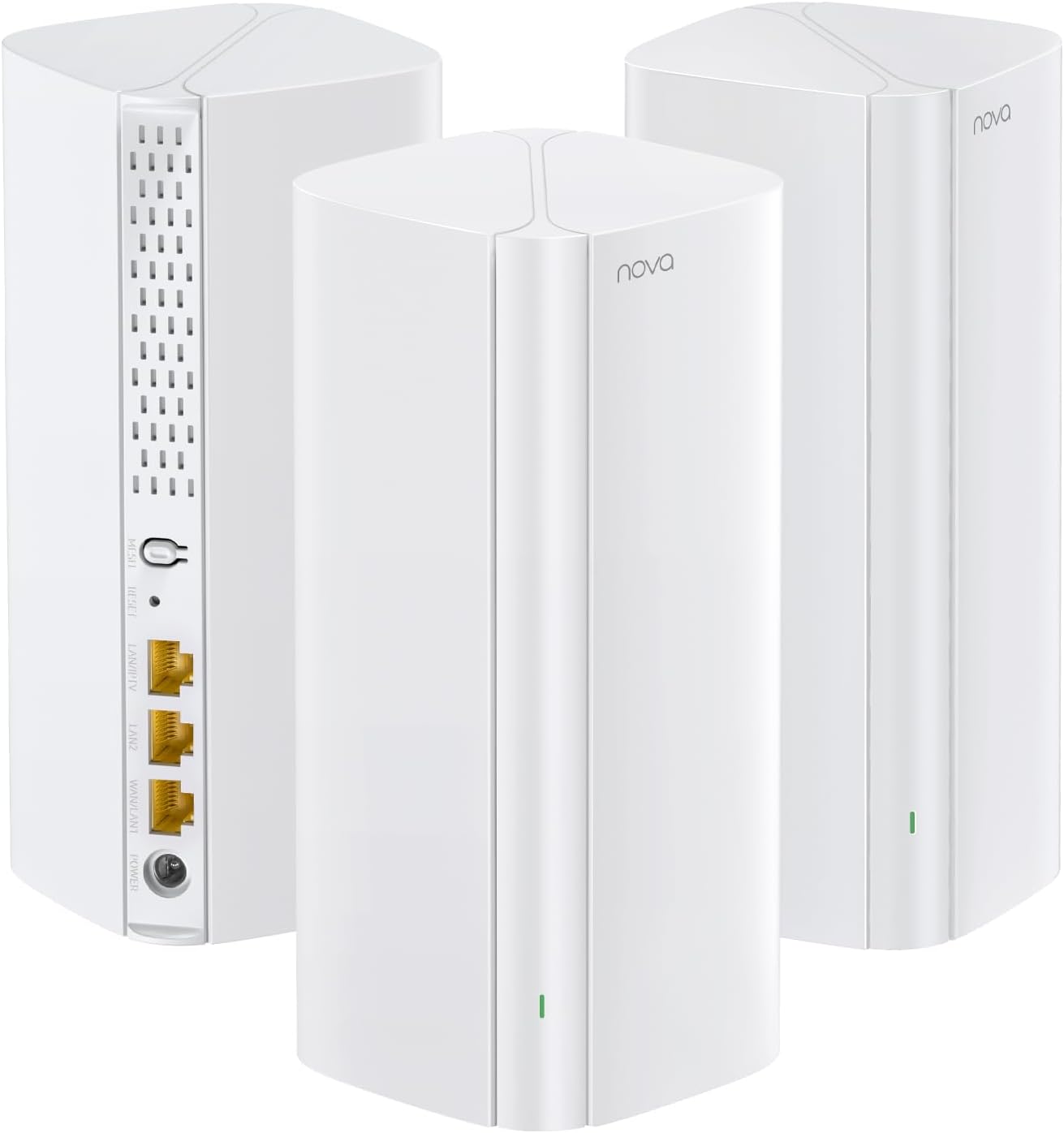
Tenda Nova MX12 Mesh WLAN System - AX3000 Wi-Fi 6 Dual-Band Mesh Set - Recommended for Homes with 3-4 Bedrooms - 9 x Gigabit Port - Replaces Router and Repeater - Ethernet Backhaul - App Control - Pack of 3
ASIN: B09MLPN4VS
- ✓Wi-Fi 6 on both bands: 2,402 Mbps on 5 GHz and 574 Mbps on 2.4 GHz
- ✓Nine Gigabit sockets across three units, with Ethernet backhaul
- ✓Broadcom quad-core processor at 1.7 GHz with 256 MB of memory
- ✓Stated for more than 160 connected devices at the same time
- ✓Set up from a web interface as well as from the phone app
- ✓Guest network and WPA3 included
- Units in the box
- 3
- Wi-Fi generation
- Wi-Fi 6 (802.11ax), dual band
- Combined speed
- 2,976 Mbps
- Stated coverage
- 650 m²
- Ports per unit
- 3 × Gigabit
- Security
- WPA2-PSK, WPA3
- Size
- 8.6 × 8.6 × 19 cm, 1 kg
- In the box
- 3 units, 3 power supplies, Ethernet cable, guide
Pros
- Wi-Fi 6 on both bands, so older 2.4 GHz devices also see the newer standard
- Nine Gigabit sockets across three units, with Ethernet backhaul supported
- A web interface on a computer as well as the phone app
- Owners report near full line speed once two nodes are wired
- Handled a 220 m² house whose provider router sat in the worst corner
Cons
- The app is called clumsy by several owners, who prefer the browser
- One long-term owner saw dropouts and lost addresses after about twelve months
- Pairing is easier if the units start close together, one buyer notes
- No 2.5 Gbps socket, unlike the two Wi-Fi 7 systems here
devolo WiFi 7 Mesh BE6500, the fastest figure in a two-node system
This is the only two-node system in the group and the only one quoting 6,500 Mbps, which devolo reaches through Wi-Fi 7 and 4096-QAM modulation. The maker positions it as a starter system for small and medium homes, and the package agrees: two white towers, the controller among them marked by a QR code sticker. The sockets are the other argument, because each node has a 2.5 Gbps port plus three Gigabit ports, so a network drive, a games console and a desktop can all be wired at a single node.
Praise for the hardware is consistent. A network administrator running fibre with several computers, a network drive and a pile of smart home gear had the system up within minutes and singles out the 2.5 Gbps socket. A five-year devolo customer calls it a large step up from his old powerline kit, and others mention the system's plain design without external antennas and the two Ethernet cables in the box.
The software divides people sharply. A German owner spent an evening failing to reach the controller from his phone: the app threw him out repeatedly, and a factory reset changed nothing. A French buyer calls the hardware acceptable and the software terrible, describing a buggy Android app and a slow web interface with little in it. A four-star owner is milder and says much the same, and with 21 ratings behind it this system has the shortest record of the four.
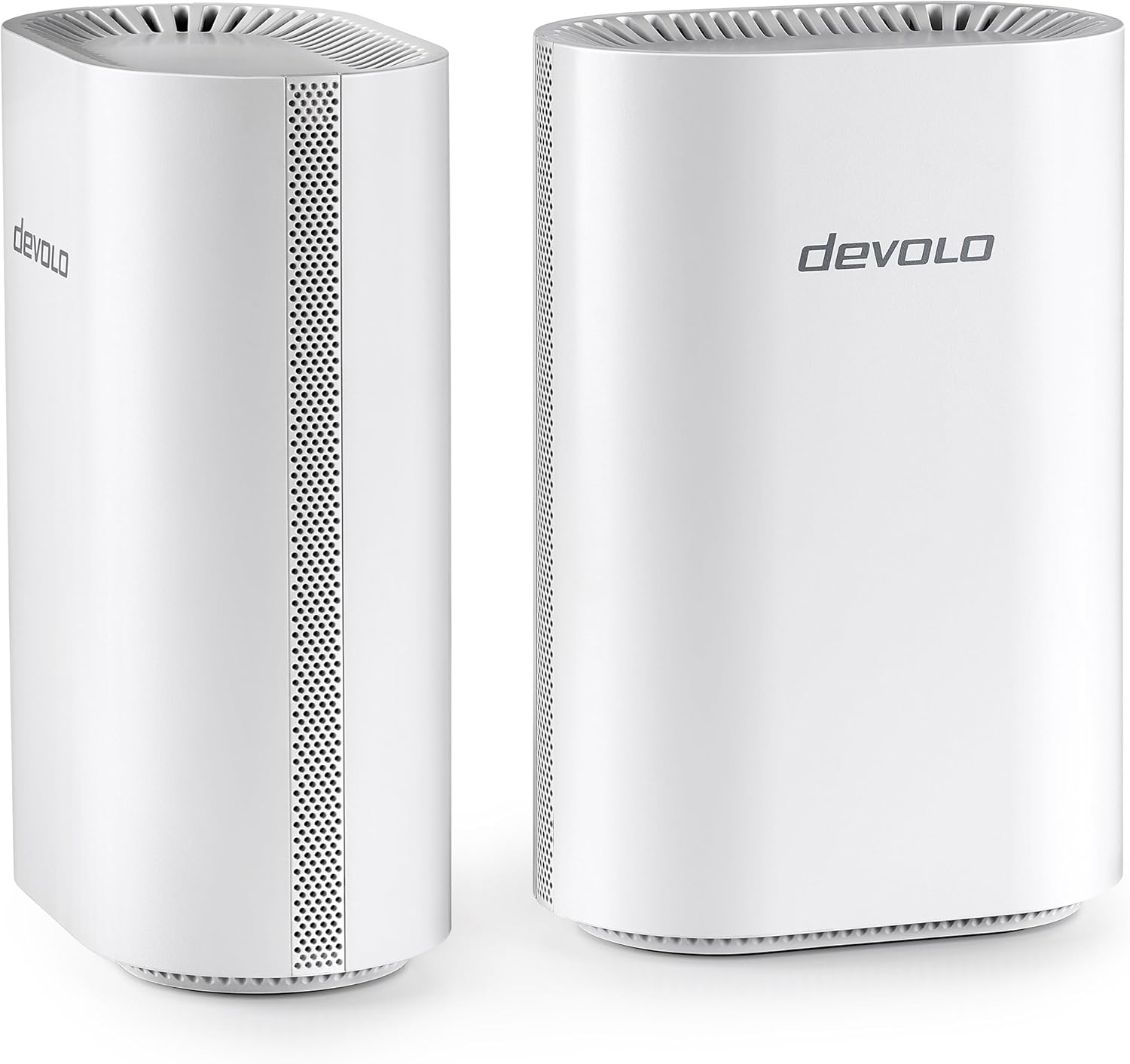
devolo WiFi 7 Mesh BE6500 2-Pack High-Speed Mesh WiFi System, up to 6,500 Mbps, 2.5 Gbps LAN Connection, White
ASIN: B0GMXZ23Y6
- ✓Wi-Fi 7 with multi-link operation and 4096-QAM, up to 6,500 Mbps combined
- ✓One 2.5 Gbps socket and three Gigabit sockets on every node
- ✓Two identical towers, one acting as the controller, with no external antennas
- ✓Two Ethernet cables and two power supplies in the box
- ✓Backwards compatible with every earlier Wi-Fi generation
- Units in the box
- 2
- Wi-Fi generation
- Wi-Fi 7 (802.11be), dual band
- Combined speed
- 6,500 Mbps
- Ports per unit
- 1 × 2.5 Gbps, 3 × Gigabit
- Security
- WPA3
- Size
- 11.8 × 7.2 × 17.5 cm
- In the box
- 2 units, 2 power supplies, 2 Ethernet cables
- Warranty
- 3 years
Open this product on Amazon
Amazon prices change all the time, so check the current one on the store page. To compare every Amazon store at once, use our browser extension.
Pros
- One 2.5 Gbps socket plus three Gigabit sockets on every node
- Highest paper figure of the four, at 6,500 Mbps combined
- Plain white towers with no external antennas, easy to place in a room
- Two Ethernet cables and two power supplies included
- Separate networks for guests and smart home devices
Cons
- One owner could not reach the controller from the app, and a reset did not help
- A French buyer calls the Android app buggy and the web interface slow and thin
- The tiled interface hides settings, in a four-star owner's account
- Only two nodes, so a third floor needs another system
- Twenty-one ratings is the shortest record of these four systems
NETGEAR Orbi 370, the big name with the weakest reviews
The Orbi 370 is a three-piece system, a router with two matching satellites, running dual-band Wi-Fi 7 at up to 3.6 Gbps, with a stated 360 m² and 70 devices. A 2.5 Gb port takes the internet line or serves as a wired backhaul, and firmware updates install themselves. The rating of this system is the outlier of the comparison, at 3.8 from 91 buyers where the other three sit at 4.3 and above.
When this system works, owners are emphatic. A German buyer covers 275 m² and a garden house with four units, and another runs 35 to 40 devices in a 150 m² house at the full gigabit his provider supplies. A British owner replaced an eight-year-old mesh system of five devices with these three, built two separate networks in ten minutes, and no longer hears his internet radio stop to buffer.
The failures are equally clear, and they concern software rather than radio. An owner had full signal on his phone but no access to other devices in the house, and says the three units never behaved as one network. Another watched a satellite lose its link at intervals; a third could not attach smart lights and cameras even on 2.4 GHz. An Italian buyer found too few options to pick a clear channel in a block of flats, and a Belgian owner returned the system over the throughput of its shared backhaul. Buy this one where the returns policy is comfortable.
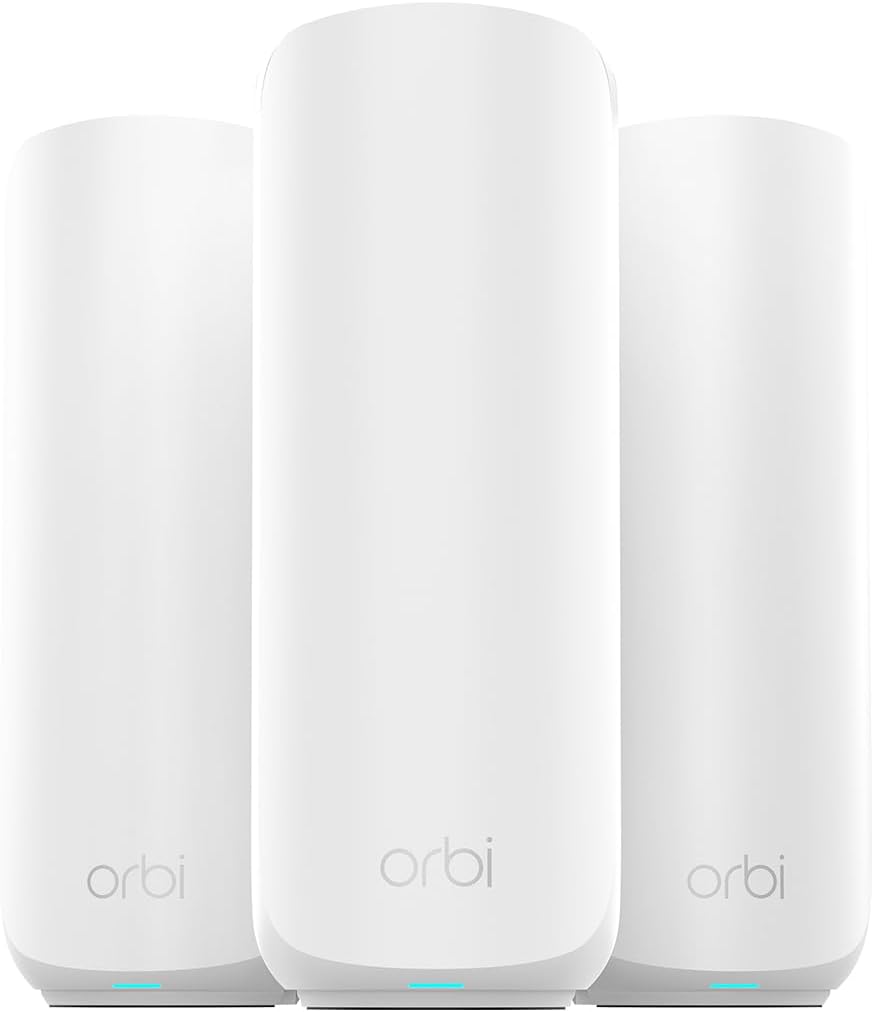
NETGEAR Orbi Series 370 | Mesh WiFi 7 System | RBE373 | Mesh WiFi 7 Router and 2 Satellites | Up to 3.6 Gbps | Coverage up to 360 m² and 70 Devices | 2.5 GB Internet Port | Dual-Band BE3600 | 3 Pack
ASIN: B0FK57LRC5
- ✓Wi-Fi 7 at up to 3.6 Gbps across a router and two satellites
- ✓2.5 Gb port for the internet line or for a wired backhaul
- ✓Stated coverage of 360 m² and up to 70 connected devices
- ✓Automatic firmware updates and NETGEAR Armor with a 30-day trial
- ✓Backwards compatible with Wi-Fi 6 and older devices
- Units in the box
- 3 (router + 2 satellites)
- Wi-Fi generation
- Wi-Fi 7 (802.11be), dual band
- Combined speed
- 3,600 Mbps
- Stated coverage
- 360 m², 70 devices
- Fast port
- 1 × 2.5 Gb
- Security
- WPA2-PSK, WPA3, WPS
- Country of origin
- Vietnam
- Warranty
- 24 months
Pros
- Setup in ten minutes, in report after report
- A 2.5 Gb port for the internet line or for a wired backhaul
- Wired sockets on the satellites, which one French owner bought it for
- One owner covers 275 m² and a garden house, another 35 to 40 devices at a full gigabit
- Reprograms itself after a power cut, an Italian owner reports
Cons
- Full signal but no access to other devices in the house, in two accounts
- A satellite that loses its link at intervals, apparently after a firmware update
- Smart lights and cameras that refuse to attach, even on 2.4 GHz
- Too few options to pick a clear channel in a block of flats
- Lowest average rating of these four systems, at 3.8
Mesh systems compared by the specifications
The figures of these four systems are easier to weigh when they stand in one place.
| Parameter | TP-Link Deco X1500 | Tenda Nova MX12 | devolo BE6500 | NETGEAR Orbi 370 |
|---|---|---|---|---|
| Units in the box | 3 | 3 | 2 | 3 |
| Wi-Fi generation | Wi-Fi 6 | Wi-Fi 6 | Wi-Fi 7 | Wi-Fi 7 |
| Combined speed | 1,500 Mbps | 2,976 Mbps | 6,500 Mbps | 3,600 Mbps |
| 5 GHz band | 1,201 Mbps | 2,402 Mbps | — | — |
| 2.4 GHz band | 300 Mbps (802.11n) | 574 Mbps | — | — |
| Stated coverage | 520 m² | 650 m² | — | 360 m² |
| Ports per unit | 2 × Gigabit | 3 × Gigabit | 1 × 2.5 Gbps, 3 × Gigabit | 1 × 2.5 Gb |
| Security | WPA3 | WPA2-PSK, WPA3 | WPA3 | WPA2-PSK, WPA3, WPS |
| Web interface | — | Yes | Yes | — |
| Warranty | 3 years | — | 3 years | 24 months |
| Customer rating | 4.5 (2,618) | 4.3 (608) | 4.3 (21) | 3.8 (91) |
Read the ratings of these systems together with the crowd behind them. The Deco carries 2,618 opinions and sits third in Amazon's own list of whole-home systems, the Tenda's 4.3 rests on 608 buyers, and the devolo and the Orbi have 21 and 91 — a pile small enough for two bad weeks of firmware to move the average.
The app is half of a mesh system
Across the reviews of all four systems the radio hardware is almost never the problem. Coverage improves and dead rooms fill; in these systems the complaints land elsewhere, on an app that will not reach the controller, a satellite that drops out after a firmware update, or a menu too thin to pick a clean channel. The Deco app draws the fewest complaints, the Tenda earns points for a web interface as well, and the devolo and the Orbi are the systems where software is the recurring subject.
That has a consequence worth knowing before you buy. Two owners here found that their new system had quietly cut the rest of the home network in half: devices had internet but could not see a printer, a network drive or each other. On the Deco this is a mode setting, solved in a minute once you know it exists, so where a home already runs smart gadgets, check that the new system passes them through before the old router goes into a drawer.
How to choose a mesh Wi-Fi system
- Count the rooms, then the walls. A two-node system suits a flat or a compact house and three nodes suit most family homes, while the coverage figures assume open space: a staircase or a wall of old stone costs about a room's worth of range.
- Look for a socket on every node. Ethernet backhaul is the change owners mention most often when their speeds jump, so if a cable can reach one node, buy a system that lets you use it.
- Match the wireless generation to the line, not to the box. Below a gigabit, Wi-Fi 6 has room to spare; above it, or with a network drive in the house, the newer standard earns its place.
- Check the 2.4 GHz band if you own smart home devices. Sensors, plugs and cameras mostly refuse to use anything else, so their band deserves as much attention in these systems as the fast one.
- Read the software reviews before the speed figures. Every system here delivers a working signal, and the systems people send back are the ones whose apps fight them.
- Ask whether the system can grow, and who will run it. Systems that accept more nodes from the same family survive a loft conversion, while a closed pair is replaced entirely; a phone app suits most homes, and a web interface matters only if you set fixed addresses or read logs.
Frequently asked questions
- Will a mesh system make my internet faster?
- It will not raise the speed of the line coming into the house. What it does is deliver more of that speed to the rooms where a single router was weak, which feels like a large increase in the places where it matters. If the whole home already has a strong signal and the connection is still slow, the problem sits with the provider rather than the router.
- Do I still need the router from my internet provider?
- Usually yes, because it also contains the modem that terminates the line. The normal arrangement is to leave that box in place, switch off its Wi-Fi and let the mesh units carry the wireless network. Several owners in these reviews did exactly that with a FritzBox or a Starlink router.
- What is Ethernet backhaul and do I need it?
- It means connecting the mesh units to each other with a network cable instead of letting them talk over the air. The link between nodes then stops competing with your devices for the same radio, and owners of three of these systems report clearly higher speeds after wiring a node. It is optional, but where a cable can be run it is the best free upgrade available.
- How far apart should the nodes stand?
- Roughly halfway between the router and the weak area, not inside the weak area. A node that only just reaches the rest of the network will attach devices to a slow link, which is worse than leaving the room uncovered. Where possible, keep the units in the open rather than inside a cupboard.
- Is Wi-Fi 7 worth paying for today?
- On a connection below a gigabit, and with phones and laptops that mostly speak Wi-Fi 6, the difference will not show up in daily use. It becomes worthwhile on fast fibre, when large files move between machines at home, or in a crowded block of flats where the extra capacity helps.
- Will my smart plugs and cameras still connect?
- They should, because all four systems keep a 2.4 GHz band for exactly those devices. Two owners here did have trouble attaching smart home gear to a new system, so it is worth adding one such device early in the setup rather than after the old router is packed away.
- Can I add more nodes later?
- It depends on the family of products. TP-Link states that the Deco X1500 forms one network with any other Deco model, so an extra unit can be added at any time. Where the maker does not say so, assume the set is closed and buy the coverage you need at the start.
- Why did my printer disappear after the new system went in?
- Because a mesh set that runs in router mode builds a second network behind the old one, and devices on the two sides cannot see each other. Switching the units into access point mode puts everything back on a single home network, which is what an owner of the Deco had to do to reach his printer again.
Verdict
Every model on the same criteria
Score against price
- TP-Link Deco X15004.3 at about €128
- Tenda Nova MX124.3 at about €170
- devolo BE65004.2 at about €280
- NETGEAR Orbi 3703.9 at about €322
The overall score divided by the typical price, with the best in the group as the full bar. A rough guide, not a verdict — a cheap model that misses the feature you need is no bargain.
Read the bars as trade-offs, not as a ranking. The two Wi-Fi 6 systems win on the parts owners touch every day — setting the network up, running it and extending it — and lose on the paper figures. The two Wi-Fi 7 systems reverse that: better sockets and larger numbers, weaker software records. No system here fails at the job it was bought for, which is carrying one network name through a building; they fail, when they fail, in an app.
Four systems, four arguments. The Deco X1500 is the system to buy when the goal is simply Wi-Fi in every room; the Tenda Nova MX12 is the step up that still makes sense on Wi-Fi 6, with both bands modern, nine sockets and a web interface; the devolo BE6500 holds the best sockets and the highest paper figure in the smallest box, and its software is the thing to research first; the Orbi 370 carries the strongest name and the weakest reviews of these four systems.
The order of these decisions is what most people get wrong. Work out how many nodes the building needs, check whether a cable can join two of them, and compare the wireless generations of these systems last — because a well-placed Wi-Fi 6 system beats a Wi-Fi 7 system standing in the wrong hallway.