Do you need a WiFi 6 router? Four home routers side by side
Home WiFi routers under €100
Most homes never choose a router at all. The provider hands one over with the contract, it goes on the shelf nearest the wall socket, and it stays there until the video calls start freezing and somebody asks whether the WiFi can be fixed. That is when people learn that the provider's box is a modem with a radio bolted on. A separate router is a small purchase with a large effect on every screen in the flat.
The listings do not make the choice easy. Home routers are sold on a four-digit number such as AX1800 or AX3000, plus a count of antennas and a promise about square metres. The figures that decide how a home WiFi router behaves sit further down the page and include the WiFi generation, the sockets on the back, the USB port and the way the software handles a guest network.
This WiFi router comparison puts four of them side by side: the TP-Link Archer AX55, a WiFi 5 router from the same maker, a WiFi 6 router from Asus with different software, and a TP-Link sibling with the same headline speed. All four are dual-band WiFi routers from the middle of the shelf — in most stores each one stays under $80, and the group sits near $63 — so the choice is not about budget classes but about generation, ports and software. Every specification comes from the listings and every opinion from people who bought these routers.
Models in this comparison
Typical price across these models: about €57. Rough figures from store prices converted at fixed rates: what you pay also depends on the store and the region you order from. With our browser extension you can compare every Amazon store at once, right on the product page.
TP-Link Archer AX55 — the WiFi 6 router with a USB port
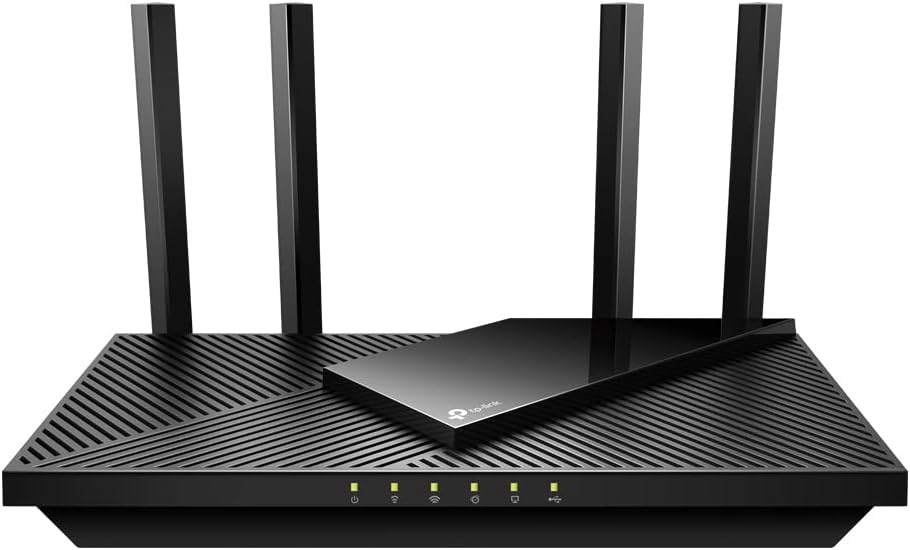
TP-Link Archer AX55 Wi-Fi 6 WLAN Router, 2402 Mbps 5 GHz, 574 Mbps 2.4 GHz, 4 × Gigabit LAN Ports, 1 × USB 3.0 Port, Does Not Support DSL Function
ASIN: B09BMXXW6N
- ✓WiFi 6 at 2,402 Mbps on the 5 GHz band and 574 Mbps on 2.4 GHz
- ✓OFDMA and MU-MIMO serve several devices at once instead of in turn
- ✓Four external antennas with beamforming, aimed at a flat of two or three rooms
- ✓Four gigabit LAN sockets plus a USB 3.0 port
- ✓WPA3 security with the TP-Link HomeCare package and Alexa voice control
- WiFi generation
- Wi-Fi 6 (802.11ax)
- Bands
- Dual-band, 2402 + 574 Mbps
- LAN ports
- 4 × gigabit
- USB
- 1 × USB 3.0
- Antennas
- 4
- Memory
- 512 MB RAM
- Security
- WPA2, WPA3
- Stated coverage
- 50 m²
- Weight
- 880 g
- Warranty
- 3 years
The numbers of the Archer AX55 explain where it sits. WiFi 6 gives it 2,402 Mbps on the 5 GHz band and 574 Mbps on 2.4 GHz, which is the AX3000 class, the volume segment of the category. OFDMA and MU-MIMO matter more in a busy flat, because they let the router talk to a phone, a television and a laptop in one slice of airtime instead of queueing them. Four external antennas with beamforming aim the signal at devices rather than at the ceiling, and the listing recommends this router for a flat of two or three rooms while pointing owners of multi-storey houses at a mesh set instead. TP-Link warrants these routers for three years. The listing also warns in capitals that no modem is built in, so these routers work behind the provider's box rather than instead of it.
Stability is the property buyers name first. A German owner calls the router a clear upgrade on his old one, with a network running smoothly minutes after setup and nothing slowing down while phones, laptops, streaming boxes and smart home gear all sat on it at once. Another has used the router for about two years and reports a strong signal with no drops and no instability when it warms up. His view is worth repeating: WiFi 6 is enough for a home, so the money saved by skipping WiFi 7 stays in your pocket. A third owner, almost a year in, calls the signal strength average but sufficient for his house.
Coverage produces the most striking single report of these routers. One buyer runs the router behind Starlink and says the flat used to need a Fritzbox plus two repeaters, while this router covers the same area on its own. Owners on fibre lines describe rather more work. A buyer in Spain got the router talking to a Nokia ONT on a Vodafone line, but only after entering the PLOAM password, the PPPoE credentials and separate VLAN settings. Everyone else calls the installation easy.
The complaints here are specific rather than general. The USB port promises network storage, and the one review that tests it found write permissions broken, with drives unrecognised and saving failing outright, which makes that owner call the router unsuitable for the job. Two buyers criticise the software instead. One finds the configuration app confusing and often slow while admitting it holds every setting he needs, and another notes that the router warns against its own guest network because WPA2 no longer counts as strong enough. Two smaller notes: no wall bracket in the box, and a five-star buyer in Saudi Arabia who reports weaker reach on 5 GHz.
Pros
- A stable connection with a dozen devices attached, reported over two years of use
- Covers a flat that previously needed a provider box plus two repeaters
- Setup takes minutes on an ordinary cable or Starlink connection
- Separate networks for guests and smart home devices are easy to switch on
- Wired and wireless transfers both hold up, with no thermal drops reported
Cons
- The USB port is a poor file server: broken write permissions and unrecognised drives
- The configuration app is called confusing and sometimes slow
- Fibre lines that need PPPoE and VLAN settings turn setup into an evening's work
- No wall-mounting provision in the box
- One owner reports weaker coverage on the 5 GHz band
This router suits a flat of two or three rooms where a dozen devices compete for the same air, but skip it if you mainly wanted network storage on a USB drive, or if you have three floors to cover, because that is a job for a mesh set.
WiFi 6 vs WiFi 5 router: what the speed numbers mean
Three of these routers are WiFi 6 and one is WiFi 5, and that line divides the category more than any brand does. The WiFi 5 router here tops out at 1300 Mbps on the 5 GHz band, the Asus reaches 1201 Mbps and the two AX3000 routers reach 2,402 Mbps. Raw speed is the least useful part of the comparison, because almost no home line is fast enough to notice it. What changes is the behaviour of the four routers when fifteen devices are awake at once. WiFi 6 adds OFDMA, which splits a single transmission into slices for several devices, so a doorbell camera checking in no longer blocks a film.
An Italian owner of the AX58 describes the jump from WiFi 5 as a connection that feels faster and handles many devices without difficulty, while an AX55 owner stayed on WiFi 6 rather than pay for WiFi 7 because a household simply does not need more. Both positions fit the same rule, which is to buy the generation your devices can use and to read the headline number as a ceiling nobody in a flat will reach.
Two figures deserve more attention than the speed of these routers. The first is the coverage claim, which runs at 40 m² on the WiFi 5 router, 50 m² on the Archer AX55 and 80 m² on the Asus, and while these are marketing estimates their order is honest. The second is the port count on the back, because every device you move onto a cable is one less competitor for the WiFi.
TP-Link Archer C88 — the WiFi 5 router that still covers a flat
This is the only WiFi 5 router among these four, and its rating is the highest of them at 4.7 from 226 buyers. It runs 802.11ac at 1300 Mbps on the 5 GHz band and 600 Mbps on 2.4 GHz, uses 3×3 MIMO to serve three data streams at once, and puts five gigabit sockets on the back. WPA3, parental controls, a guest network and access control are all present, so the security list is no shorter than on the WiFi 6 routers. TP-Link states 40 m² of coverage and recommends this router for a two-bedroom flat, and unlike the Archer AX55 it arrives complete with a power supply and an Ethernet cable.
Owners write short, satisfied reviews. A German buyer calls it a strong router with no dropouts, another reports easy setup with a stable connection and good range, and a third measures a usable link at 30 metres with no lag. Two owners run the router as an access point instead, and both call the result cheap, quick and better than the WiFi inside the provider's modem. Buyers in Spain and France call the configuration equally easy.
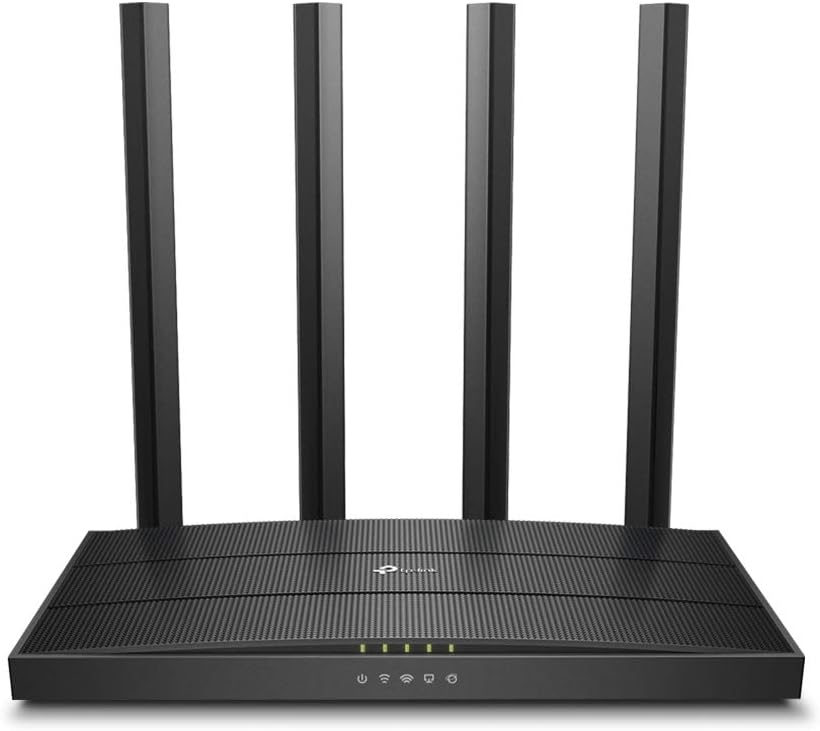
TP-Link Archer C88 Dual-Band Gigabit WLAN Router (1300Mbit/s 5GHz + 600Mbit/s 2.4GHz, 4 Gigabit LAN Port, MU-MIMO, WPA3, Guest Network, Does Not Support DSL Function
ASIN: B0CJYGKM1J
- ✓1300 Mbps on 5 GHz and 600 Mbps on 2.4 GHz over 802.11ac
- ✓3×3 MIMO sends and receives on three streams at once
- ✓Five gigabit ports: one for the incoming line, four for wired devices
- ✓WPA3, parental controls, guest network and access control
- ✓Power supply, Ethernet cable and quick start guide in the box
- WiFi generation
- Wi-Fi 5 (802.11ac)
- Bands
- Dual-band, 1300 + 600 Mbps
- Ports
- 5 × gigabit
- Security
- WPA, WPA2, WPA3
- Stated coverage
- 40 m²
- Control
- Web interface or Tether app
- Weight
- 320 g
- Warranty
- 3 years
Open this product on Amazon
Amazon prices change all the time, so check the current one on the store page. To compare every Amazon store at once, use our browser extension.
Pros
- Owners report no dropouts and a stable link over months of use
- A usable connection measured at 30 metres with no lag
- Five gigabit sockets, one more than the Archer AX55 offers
- Quick to set up as an access point behind a provider modem
- Power supply and network cable included
Cons
- WiFi 5 only, so a crowded flat gains nothing from OFDMA
- The smallest coverage claim of the four at 40 m²
- No USB socket at all
- The highest average rating here rests on the fewest buyers
Asus RT-AX53U — a WiFi 6 router with different software
The Asus is the only router here that is not a TP-Link, and the difference shows in the software rather than in the radio. AX1800 means 1201 Mbps on the 5 GHz band and 574 Mbps on 2.4 GHz, a step below the AX3000 pair, yet the listing claims the largest coverage area of the four at 80 m². Behind that claim sit a quad-core processor, 256 MB of memory, a USB socket and the AiProtection package, all managed from the ASUS Router app. The listing counts only two ports, so skip this one if several devices need cables.
The reviews here are unusually revealing. Two owners bought this particular router because it accepts OpenWRT, the community firmware, and one recommends it only on that condition, calling the stock Asus system a privacy disaster and objecting to the permissions the setup demands. Others are content with the router as delivered. An Australian owner replaced an ageing Asus in minutes and warns only that this router takes one to two minutes to boot, while a Polish owner paired it with a second Asus for a mesh network without trouble. A Dutch owner bought two of these routers, switched off the radio in his provider box and wired both up as access points, arguing that a cabled pair beats a wireless mesh.
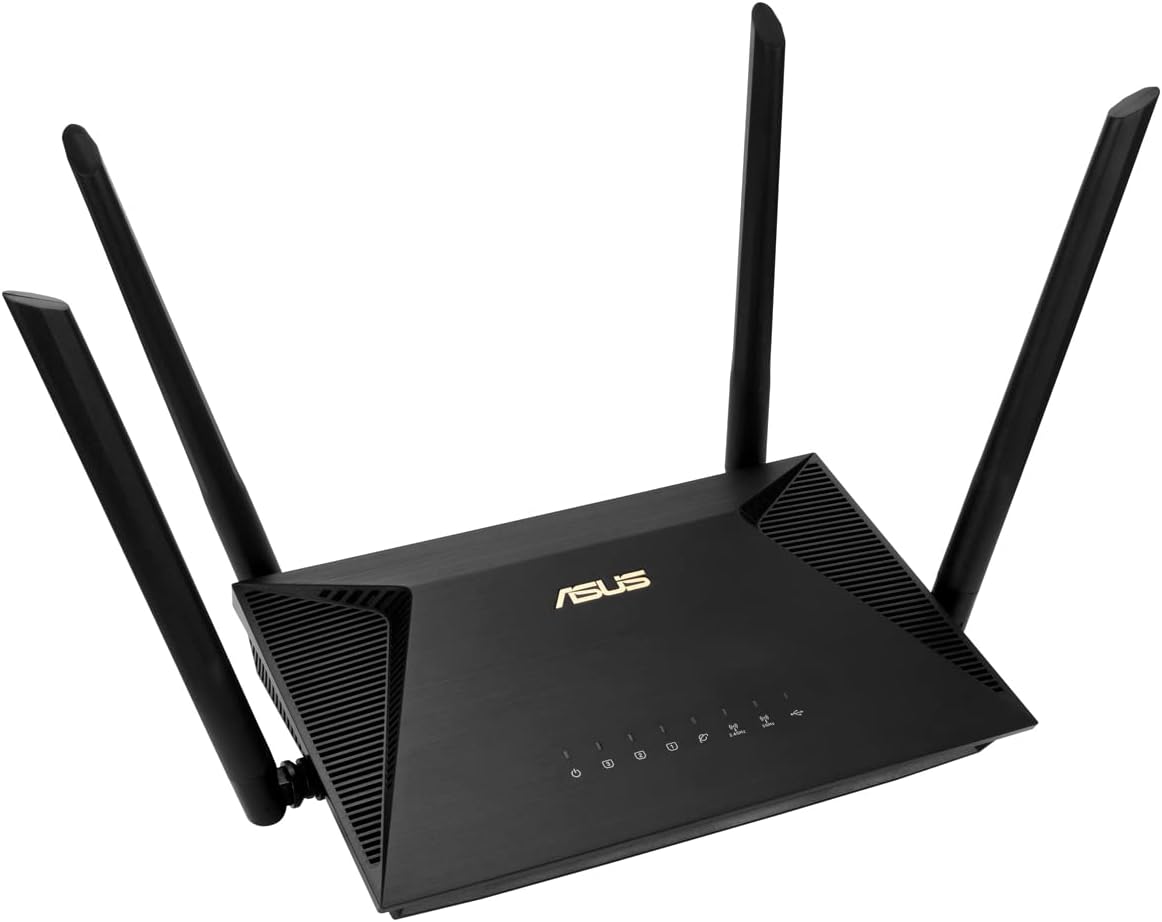
Asus RT-AX53U AX1800 Home/Office Router, WiFi 6, Gigabit, Quad-Core CPU, USB, AiProtection | WiFi 6 AX1800, Gigabit, Quad-Core CPU, USB, AiProtection
ASIN: B099X58J8D
- ✓AX1800 WiFi 6: 1201 Mbps on 5 GHz and 574 Mbps on 2.4 GHz
- ✓The largest coverage claim of these routers at 80 m²
- ✓Quad-core processor with 256 MB of memory and a USB socket
- ✓AiProtection security and QoS, managed from the ASUS Router app
- ✓Network cable, power supply and guide included
- WiFi generation
- Wi-Fi 6 (802.11ax)
- Bands
- Dual-band, 1201 + 574 Mbps
- Ports
- 2
- Memory
- 256 MB RAM
- Software
- ASUSWRT with AiProtection
- Stated coverage
- 80 m²
- Weight
- 346 g
- Warranty
- —
Pros
- The largest stated coverage of these routers, 80 m² from one unit
- Accepts the OpenWRT community firmware, which two owners bought it for
- Quad-core processor, 256 MB of memory and a USB socket
- Pairs with a second Asus unit into one mesh network
- Setup described as effortless, including as an access point
Cons
- Only two ports, so wired devices need a switch
- Owners call the stock software a privacy problem and object to its permissions
- Installation goes through a compulsory app
- One to two minutes to boot before the network appears
- No warranty term stated in the listing
TP-Link Archer AX58 — the same speed in a different box
On the two figures buyers read first, this router matches the Archer AX55 exactly, with 2,402 Mbps on the 5 GHz band, 574 Mbps on 2.4 GHz, the same AX3000 class, the same four antennas and the same OFDMA. What it gives up in that pair is the USB 3.0 socket and the larger memory, which only matters if a drive or a printer was going to hang off the router, and what it adds is a complete box plus three years of cover. It carries 1,707 ratings behind a 4.5 average.
The reviews cluster around two uses. One owner bought this router purely for a Meta Quest headset and reports a constantly interference-free link, having chosen WiFi 6 over WiFi 6E on price. Another set his router up behind an external fibre modem and finished in twenty minutes with help from a fellow reviewer. An Italian owner uses it as a router for streaming and gaming and reports 4K video, online play and heavy downloads running at once without a slowdown. Coverage draws praise from a German owner whose rooms upstairs and downstairs are all served and who seldom reboots the router. A four-star buyer rates the reach well above the Fritz!Box he replaced, and he also carries the sharpest technical criticism on this page: in access point mode the guest and IoT networks are not separated from the main network. Two three-star reviews finish the picture, one from a buyer whose problem the router did not solve and one who received a returned unit.
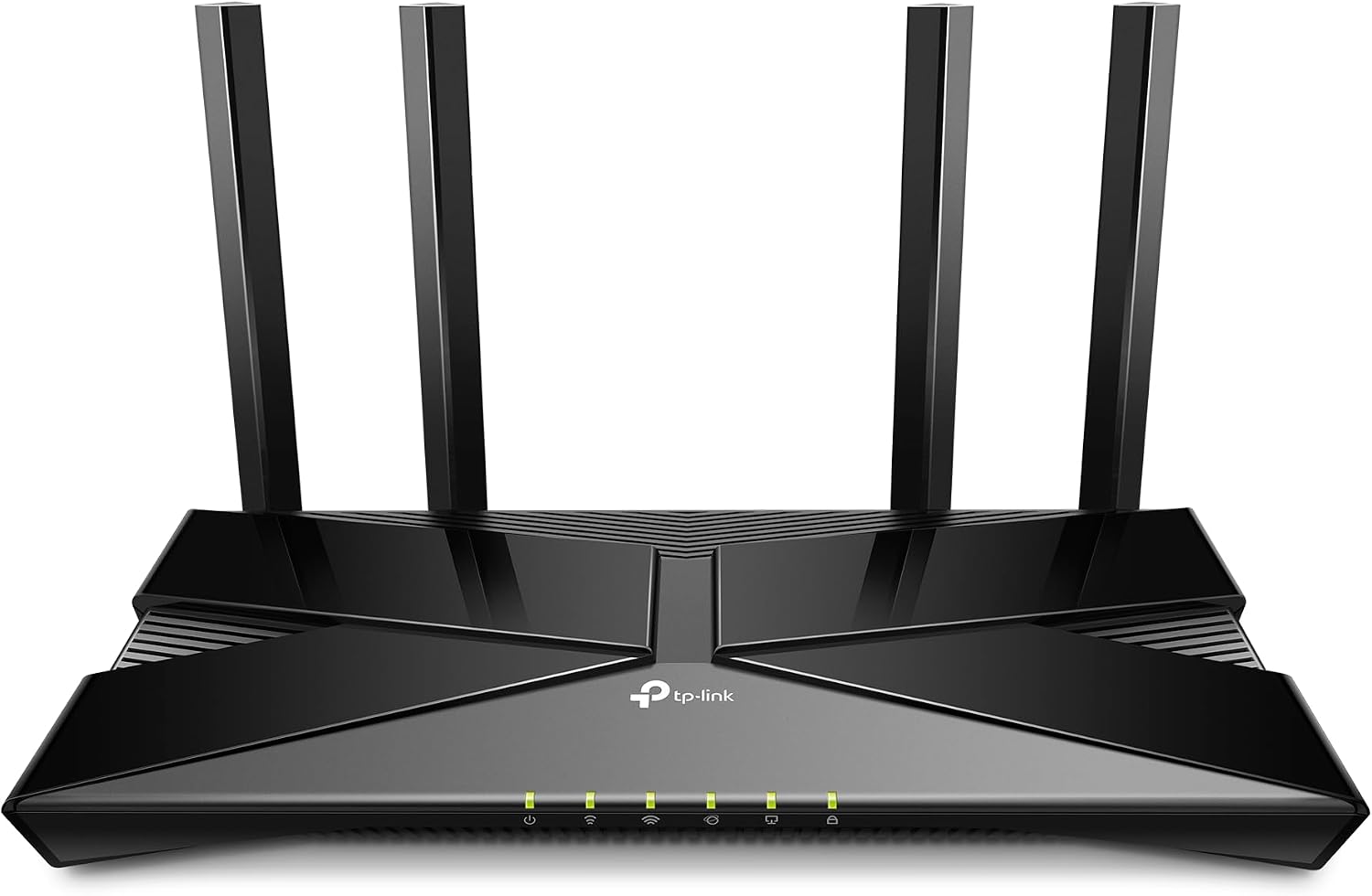
TP-Link Archer AX58 Wi-Fi 6 Wi-Fi Router, Dual Band AX3000, 5 Gigabit Ports, WPA3, Parental Control, Guest Network, No DSL Function
ASIN: B0CFYMG5J2
- ✓AX3000 speeds of 2,402 Mbps on 5 GHz and 574 Mbps on 2.4 GHz
- ✓Five gigabit ports and four antennas
- ✓OFDMA raises capacity for simultaneous devices fourfold
- ✓Tether app with device alerts and over-the-air firmware updates
- ✓Power adapter, Ethernet cable and guide in the box
- WiFi generation
- Wi-Fi 6 (802.11ax)
- Bands
- Dual-band, 2402 + 574 Mbps
- Ports
- 5 × gigabit
- Antennas
- 4, fixed
- Security
- WPA3
- USB
- —
- Weight
- 440 g
- Warranty
- 3 years
Open this product on Amazon
Amazon prices change all the time, so check the current one on the store page. To compare every Amazon store at once, use our browser extension.
Pros
- Full AX3000 speed with five gigabit sockets, one more than the Archer AX55
- A constantly interference-free link reported by a VR headset owner
- 4K streaming, online play and downloads at the same time without a slowdown
- Covers rooms upstairs and downstairs, and seldom needs a reboot
- The most reviewed of the three alternatives here
Cons
- No USB socket, so no drive or printer on the network
- Guest and IoT networks are not isolated in access point mode
- Fixed antennas rather than the movable ones on the Archer AX55
- Setup behind a fibre modem took one owner a walkthrough from another buyer
WiFi router comparison by the specifications
These four routers are easier to weigh when their figures stand in one place.
| Parameter | Archer AX55 | Archer C88 | Asus RT-AX53U | Archer AX58 |
|---|---|---|---|---|
| WiFi generation | Wi-Fi 6 | Wi-Fi 5 | Wi-Fi 6 | Wi-Fi 6 |
| Standard | 802.11ax | 802.11ac | 802.11ax | 802.11ax |
| 5 GHz speed | 2402 Mbps | 1300 Mbps | 1201 Mbps | 2402 Mbps |
| 2.4 GHz speed | 574 Mbps | 600 Mbps | 574 Mbps | 574 Mbps |
| Ports | 4 × gigabit LAN | 5 × gigabit | 2 | 5 × gigabit |
| USB | USB 3.0 | — | Yes | — |
| Antennas | 4, external | — | — | 4, fixed |
| Memory | 512 MB | — | 256 MB | — |
| Stated coverage | 50 m² | 40 m² | 80 m² | — |
| Security | WPA2, WPA3 | WPA, WPA2, WPA3 | WPS | WPA3 |
| Cable in the box | — | Yes | Yes | Yes |
| Warranty | 3 years | 3 years | — | 3 years |
| Customer rating | 4.5 (3,679) | 4.7 (226) | 4.4 (664) | 4.5 (1,707) |
Read the ratings of these routers together with the crowd standing behind them. The Archer AX55 carries almost 3,700 opinions and the AX58 more than 1,700, so both averages are settled facts. The 4.7 of the WiFi 5 router is the highest score on the page and also the thinnest, resting on 226 buyers, while the 4.4 of the Asus is pulled down less by its hardware than by the software argument its owners keep having.
What buyers say about all four routers
One theme runs through the reviews of all four routers, and it is not speed. Owners buy these routers to replace or bypass the box the provider supplied, and they describe the result in almost identical terms, meaning more reach, fewer dropouts and a network that stops needing attention.
The second theme is that many buyers do not use these routers as routers at all. Owners of the C88, the Asus and the AX58 all describe running a router as an access point behind an existing provider modem, usually because that modem sits in a cupboard or a cellar where its radio is useless. It is the simplest way to fix a dead corner of a flat, and it also means the processor and the memory inside these units stop earning their keep.
The complaints about these routers split into software and shipping. One Asus owner replaces the firmware over privacy concerns, an AX55 owner finds the app confusing, and an AX58 owner shows that guest and IoT networks are not really isolated in access point mode, which matters if you planned to keep cameras and smart plugs on a separate network. One buyer also received a used unit in a new box. Setup is the recurring frustration, and the fibre line is nearly always to blame rather than the routers, because PPPoE credentials, VLAN numbers and a modem in bridge mode cost people hours.
How to choose a WiFi router for your home
- Count the rooms before you compare the megabit ratings, because the coverage claim decides whether the far bedroom works and the four listings state 40, 50 and 80 square metres. A flat of two or three rooms is the honest limit for one unit.
- Check that these are routers only, because all four state in capitals that no modem is built in and DSL is unsupported. None of these routers lets you retire the provider's box.
- Count the sockets on the back of the routers, because four gigabit LAN ports let a television, a console and a desktop leave the airwaves for good, which helps every wireless device in the flat. The Asus lists two ports, and that single line is reason enough to pass it over.
- Decide whether you need the USB port, which only the Archer AX55 and the Asus among these routers have. The most detailed review of that feature reports broken write permissions and unrecognised drives, so treat storage on these routers as a bonus rather than a plan.
- Match the WiFi generation to your devices, since a phone bought in the last few years uses WiFi 6 and gains from it in a crowded flat. A household of older laptops will not notice, and the WiFi 5 router here has the happiest owners of these four routers.
- Read the software as part of the product, because these routers are set up through an app and the reviews argue about the apps far more than about the radios. One owner replaced his firmware over the permissions it demanded.
Frequently asked questions
- Do I still need the box from my internet provider?
- Yes. All four of these routers state that no modem is built in and that DSL is not supported, so each one connects to the provider's modem or fibre terminal and takes over the WiFi and the wired sockets from there. Many owners switch off the radio in the provider box to avoid two competing networks.
- Is a WiFi 6 router worth it over WiFi 5?
- In a flat with many devices, yes, because WiFi 6 splits one transmission between several devices instead of serving them in turn. For raw speed on a normal home line the difference is small, and the WiFi 5 router in this group has the highest rating of the four.
- How much area does one router cover?
- The listings claim 40 m² for the Archer C88, 50 m² for the Archer AX55 and 80 m² for the Asus RT-AX53U. One owner did replace a provider box plus two repeaters with a single Archer AX55, but for a house on several floors both TP-Link listings recommend a mesh set instead.
- Can I use one of these as an access point instead of a router?
- Owners of three of the four do exactly that, wiring the unit to an existing provider modem and using it only as a radio. It is a common fix when the provider box sits in a cupboard or a cellar. One caveat from a review: in access point mode the guest network on the AX58 was not isolated from the main network.
- Which of these routers works with a fibre connection?
- All of them, behind a fibre terminal or an external modem, but the reviews are full of the work involved: PPPoE credentials, a VLAN number and sometimes an ONT password. One owner finished in twenty minutes with help from another reviewer, another spent an evening on it.
- Can I attach a hard drive to the USB port?
- The Archer AX55 and the Asus have a USB socket, and the one on the AX55 is USB 3.0. The single detailed review of that function reports permission errors, drives that were not recognised and failed saves, so treat it as a convenience rather than a reason to buy.
- Will these routers build a mesh network together?
- Only within a brand, and only where the listing or the owners say so. A Polish buyer paired two Asus units into one mesh network without trouble, and TP-Link points people at its Deco range for whole-house coverage rather than at these single routers.
Verdict
Every model on the same criteria
Score against price
- Archer AX554.4 at about €66
- Archer C884.3 at about €50
- Asus RT-AX53U4.1 at about €47
- Archer AX584.5 at about €66
The overall score divided by the typical price, with the best in the group as the full bar. A rough guide, not a verdict — a cheap model that misses the feature you need is no bargain.
Read the bars as trade-offs rather than as a ranking. The two AX3000 routers share the same radio and split on the sockets: one keeps a USB port, the other gives it up for a fifth gigabit socket and a cable in the box. The WiFi 5 router has the happiest owners and the fullest set of ports, and loses only where a flat is crowded with modern devices. The Asus claims the widest coverage and is the one people flash with their own firmware, but two ports and its stock software cost it more than its radio earns.
The mistake worth avoiding with these routers is shopping by the four-digit number on the front. Measure the flat, count the cables you need and decide whether the software will annoy you, and only then look at the speed rating, because on a normal home connection every router here is faster than the line it will be serving.