Where a dedicated document scanner beats the one in your printer
Document scanners under €200
Paper keeps arriving. A rental contract, the warranty slip for the washing machine, the receipts that decide whether a tax return goes quickly or badly, a school certificate, the ID card a bank wants a copy of by Friday. Almost all of it has to end up as a file on a disk, and almost none of it does, because the work waits for an afternoon nobody ever has.
A phone photograph is the usual shortcut, and it holds up until somebody else has to read the result. A dedicated document scanner exists for the pages where that fails: a straight sheet, even lighting, and text an OCR engine can turn back into words. That is a narrower job than a printer's, and scanners built for nothing else are lighter, cheaper and quicker through a stack.
This document scanner comparison sets four scanners against each other: the Brother DS-640, a pocket-sized USB powered scanner; the Canon LiDE 400, a flatbed that lies on the desk like a thin book; the Brother DS-740D, which reads both sides of a page in one pass; and the Epson ES-60W, which runs on a battery and sends files over Wi-Fi. All four are home and small-office machines rather than office workhorses — in most stores each one stays under $190, and the group sits near $130. Every figure below comes from the listings, every opinion from buyers of the past year, and the cards hold the parameters plus the price in each Amazon store.
Models in this comparison
Typical price across these models: about €124. Rough figures from store prices converted at fixed rates: what you pay also depends on the store and the region you order from. With our browser extension you can compare every Amazon store at once, right on the product page.
Brother DS-640 — the USB powered scanner for receipts and ID cards
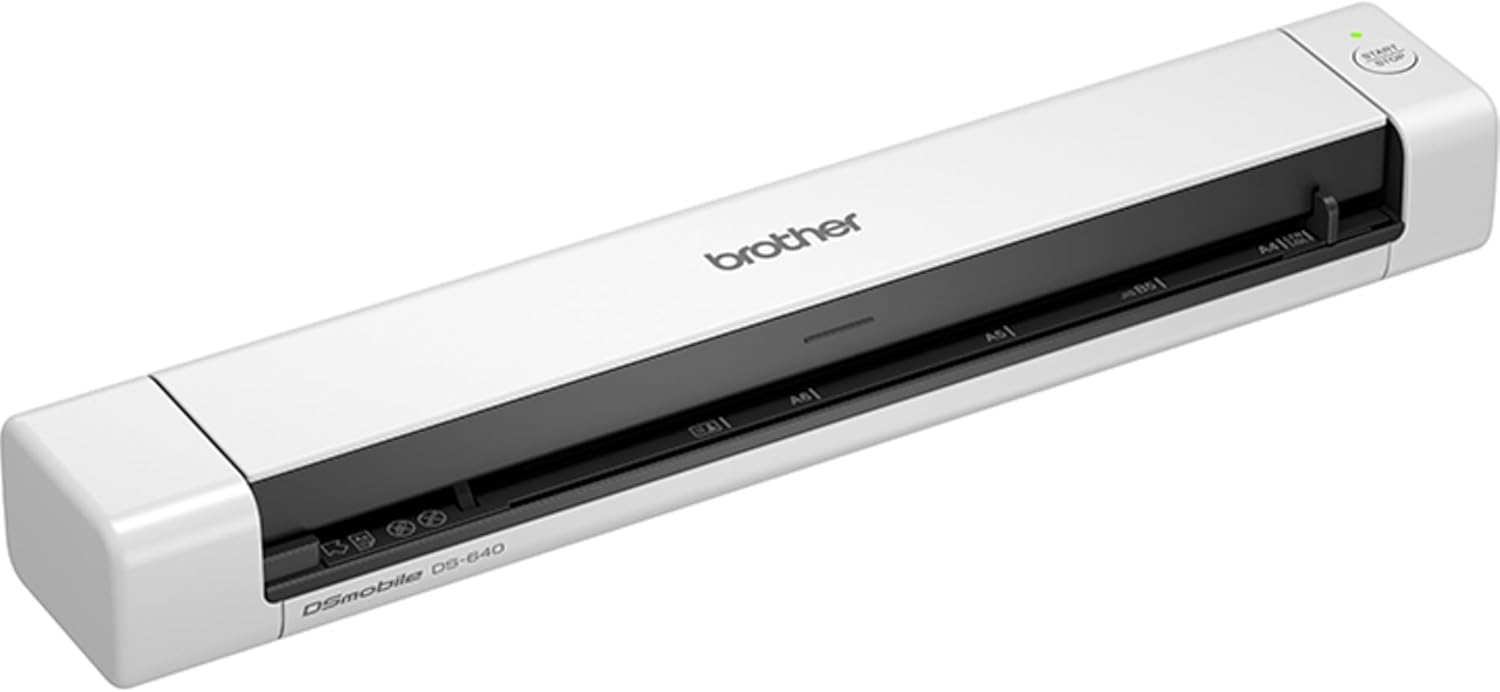
Brother DS-640 Mobile Scanner | A4 | USB Power Supply |15 ppm | Color | Black/White | Dsmobile | Scan to USB (Product is not Wi-Fi)
ASIN: B083ML7X9B
- ✓Up to 15 pages a minute through a single feed slot
- ✓Runs on the power of a USB 3.0 port, with no mains adapter to carry
- ✓390 grams, so it travels in a laptop bag without being noticed
- ✓Handles A4 sheets, receipts and plastic ID cards
- ✓Works with Windows and macOS, and carries a two-year warranty
- Type
- Sheet-fed, single-sided
- Speed
- 15 pages per minute
- Resolution
- 600 dpi
- Colour depth
- 24 bit
- Power
- USB, 2.3 W
- Sheet capacity
- 1 sheet
- Weight
- 390 g
- Warranty
- 2 years
The DS-640 is the plainest of the four. There is one slot, one sheet at a time, and a cable that carries both power and data from a USB 3.0 port. Nothing else: no mains adapter, no battery, no wireless, as the listing says in its own title. Fifteen pages a minute at 600 dpi in 24-bit colour covers contracts, receipts and ID cards, and the whole scanner weighs 390 grams and draws 2.3 watts.
That short feature list is the point rather than an oversight. Scanners this small live permanently on a desk corner or in a laptop bag, and the moment a page needs digitising they are already plugged in. Brother covers the scanner for two years and lists spare-part availability for the same period. The box holds the manual, so what arrives is the hardware and the cable, while the software comes from Brother's site.
Owners rate the DS-640 scanner 4.5 out of 5 across more than two thousand opinions, and the praise is consistent about two things: speed and size. A French buyer who hesitated for a long time calls the scanner one of his best purchases, says it works quickly and cleanly wherever he goes, and reckons two years of heavy digitising went far faster than before. Another French owner describes a reliable, compact scanner with high-quality output, adding one caution: sheets have to be fed in with care. An Italian owner uses his scanner with any computer, desktop or laptop, and a third French buyer says the scanner takes no space and produces good scans in regular use.
The most useful review is a four-star one, because it describes the first evening honestly. On the latest macOS the driver has to come from Brother's website, and getting the button on the scanner to work means installing the Brother application and a second driver on top. Once that is done the owner is happy: scans land in a folder as PDFs without opening anything, and the text inside them can be copied, with the operating system doing the character recognition. His one real complaint is the cable, which ends in USB-A rather than USB-C, so a modern laptop needs a replacement lead.
Pros
- Fast in practice, not only on paper — owners describe stacks cleared in one sitting
- Small and light enough to live in a backpack and be used away from a desk
- One cable does everything, so there is no adapter and no battery to charge
- Scan quality draws no argument in a year of reviews
- Files arrive as searchable PDFs once the software side is set up
Cons
- Sheets have to be fed in straight, or the page comes out skewed
- macOS needs a driver from Brother's site, and a second one for the hardware button
- The supplied cable ends in USB-A, so a USB-C laptop needs another lead
- One side, one sheet: no two-sided scanning and nothing to stack pages in
This scanner suits somebody who digitises a few pages at a time, often somewhere other than home, and who values a scanner that is always ready over one that is clever. Anyone facing a two-sided stack of fifty sheets is looking at the wrong scanner.
Sheet-fed, flatbed or wireless: three shapes of document scanner
The four scanners here split by shape rather than by price, and the shape decides what each of them is good at.
Sheet-fed scanners pull a loose page past a fixed sensor. That is the fastest way to turn a pile of separate sheets into files, such scanners pack down to the size of a rolled-up magazine, and three of the four here work this way. What sheet-fed scanners cannot do is copy anything bound: a book, a passport, a stapled report. Such scanners also ask something of you, since every owner who mentions feeding sheets mentions doing it straight.
Flatbed scanners lay the page on glass under a lid. That makes them the only shape here that copes with books, thick paper and fragile originals, and the only one that reaches photographic resolution. The price is desk space and time: each page is lifted, placed and closed over by hand.
The third split is power. Two of these scanners take everything they need from the computer's USB port, one adds a battery and Wi-Fi so it works with no computer nearby, and none of the four needs a mains socket. That matters more than it sounds for anyone who works at a client's office or a kitchen table.
Two-sided reading is the last divide. Only one of these scanners turns the page for you electronically, reading front and back in a single pass, and on double-sided contracts that halves both the handling and the mistakes.
Canon LiDE 400 — the flatbed scanner for books, photos and thick paper
This is the odd one out and the most popular scanner on this page, with 5,345 ratings at 4.3. The Canon is a flatbed 4.2 cm thick that stands upright on its own bracket when the desk is needed for something else, weighs 1.7 kg and reaches 4,800 dpi through a CCD sensor and an LED lamp. Canon quotes eight seconds for a scan, and the double-hinged lid lifts to take originals up to 21 mm thick, which is what makes a book or a magazine possible. Five buttons on the front produce a PDF, a copy or an email without touching the computer, and one of them builds a multi-page PDF. The connection is USB Type-C, and the scanner draws its 4.5 watts from that cable alone.
Buyers of this scanner back the basics. A British owner needed to digitise a hundred documents, set the scanner up quickly and had the lot done inside an hour, with copies saved locally and pushed automatically to a Google Drive folder by Canon's own software; he rates greyscale text and OCR as spot on and notes that USB power suits anyone working from a laptop. A French owner reports very good image quality and adds that the scanner works with Linux as well as Windows. The complaints are specific enough to be useful: the same owner says anything above 600 dpi on an A4 page is painfully slow, and that very thin paper such as supermarket receipts slides under the guide edge. An Italian buyer warns that a thick book still will not open flat enough for the middle of the page to come out sharp. The harshest review, a single star from France, describes streaks on every scan and a glass area larger than the region the sensor actually reads, so documents aligned to the edge came out cropped.
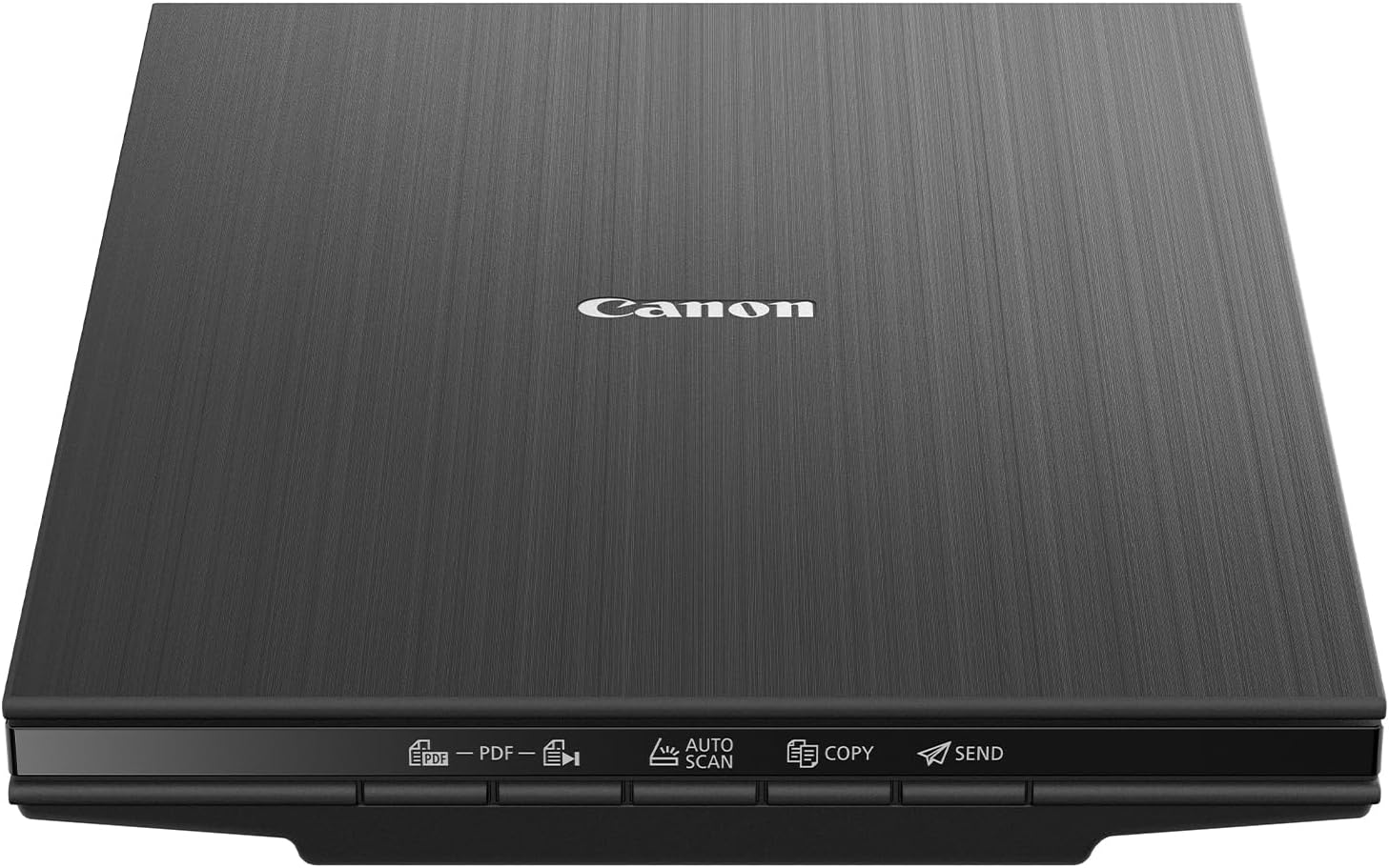
Canon LiDE 400 Document Scanner (Black) - Space-Saving Design with USB Type-C Connectivity, Easy One-Touch Operation - Ideal for Home or Office
ASIN: B07G1S1FKW
- ✓4,800 dpi on glass, the only model here that suits photographs
- ✓Hinged lid takes originals up to 21 mm thick, so books and magazines work
- ✓Five one-touch buttons make a PDF, a copy or an email with no computer input
- ✓Stands upright on its bracket and runs from a single USB Type-C cable
- ✓The most widely rated product on this page by a wide margin
- Type
- Flatbed
- Resolution
- 4,800 dpi
- Sensor
- CCD with LED lamp
- Speed
- 8 seconds per scan
- Connection
- USB Type-C, 4.5 W
- Size
- 36.5 x 25 x 4.2 cm
- Weight
- 1.7 kg
- Warranty
- 2 years
Brother DS-740D — the duplex document scanner for two-sided paperwork
The DS-740D is the DS-640's direct relative and answers its biggest limitation. This scanner reads the front and the back of a sheet at once, still at up to 15 pages a minute in A4 and still on power from the USB port, this time a 3.1 one. The second sensor costs 147 grams, so the scanner weighs 537 grams and draws 2.9 watts, and the paper comes out vertically instead of sliding across the desk. Resolution and colour depth match the DS-640 at 600 dpi and 24 bit, and the warranty runs for two years through a workshop return.
Owners give this scanner 4.5 across 1,089 ratings, and their reviews are unusually short and unusually positive. A French professional calls two-sided scanning and portability indispensable for her work and says the scanner follows her everywhere, clearing the documents she needs in record time. A Spanish owner was pleasantly surprised: the scanner takes little room and reads both faces quickly, handling documents, cards, an ID card and photos at good resolution. Installation on a Mac is described as painless by one French buyer, who downloads a driver and then scans straight from Preview into PNG, JPEG or PDF. The most honest note comes from Italy, where an owner admits that a portable document scanner sounds anachronistic in the age of phone cameras, then says this one helps him far more than a smartphone does.
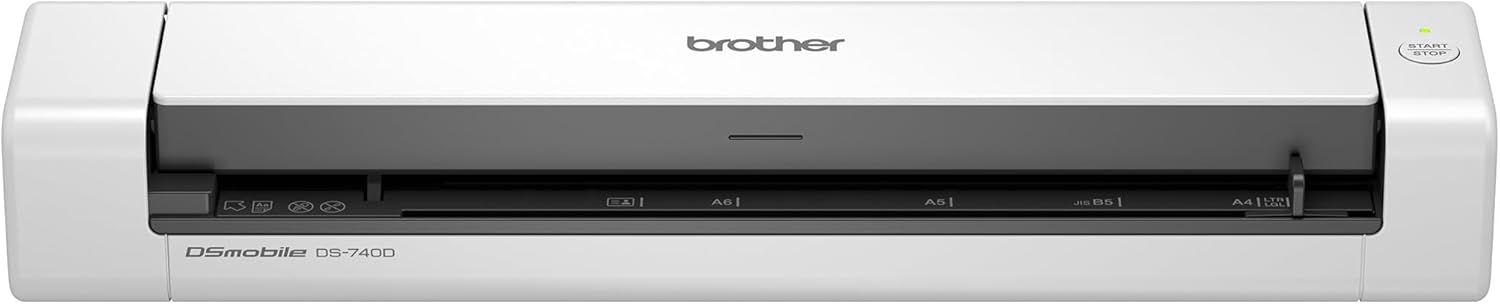
Scanner Brother DS740DTJ1 10-15 ppm
ASIN: B083MLP8W3
- ✓Automatic two-sided scanning: front and back are read in one pass
- ✓Up to 15 A4 pages a minute, the same speed as the single-sided model
- ✓Powered by a USB 3.1 port, with no mains adapter needed
- ✓Vertical paper output, so pages do not travel across the desk
- ✓The joint highest customer rating on this page
- Type
- Sheet-fed, duplex
- Speed
- 15 pages per minute
- Resolution
- 600 dpi
- Colour depth
- 24 bit
- Power
- USB, 2.9 W
- Sheet capacity
- 1 sheet
- Weight
- 537 g
- Warranty
- 2 years
Epson WorkForce ES-60W — the wireless document scanner that needs no computer
The ES-60W is the only scanner here with a battery and Wi-Fi, and Epson claims 300 pages on a charge. Four seconds per A4 page at 300 dpi, an LCD panel on the body and a wireless link to a phone, tablet or laptop mean this scanner can work in a car or a waiting room. Its paper handling is the widest of the four: 35 to 270 gsm stock, plastic cards, business cards, invoices and receipts, and single documents up to 1.8 metres long. Epson's ScanSmart software saves PDF, JPEG and TIFF, runs OCR to make files editable, and offers a continuous auto-feed mode. At 300 grams and 27.2 cm wide it is the lightest of these scanners.
Buyers rate this scanner 4.2 across 508 opinions, the weakest score here, and the reviews explain why. The good ones are enthusiastic: an American owner calls it the best portable scanner he has used, small, quick and silent, and an Italian buyer who started out sceptical now praises the weight, the choice of wireless or cable, and Epson's software, warning only that an A4 sheet needs feeding in parallel to the path. A Swedish owner found installation slightly awkward but reports the scanner working well afterwards. The warning sign is a two-star review from France: bought at the end of February, the scanner stopped turning on a few months later, showing a full battery on the display and then dying, on mains power and on a computer alike.
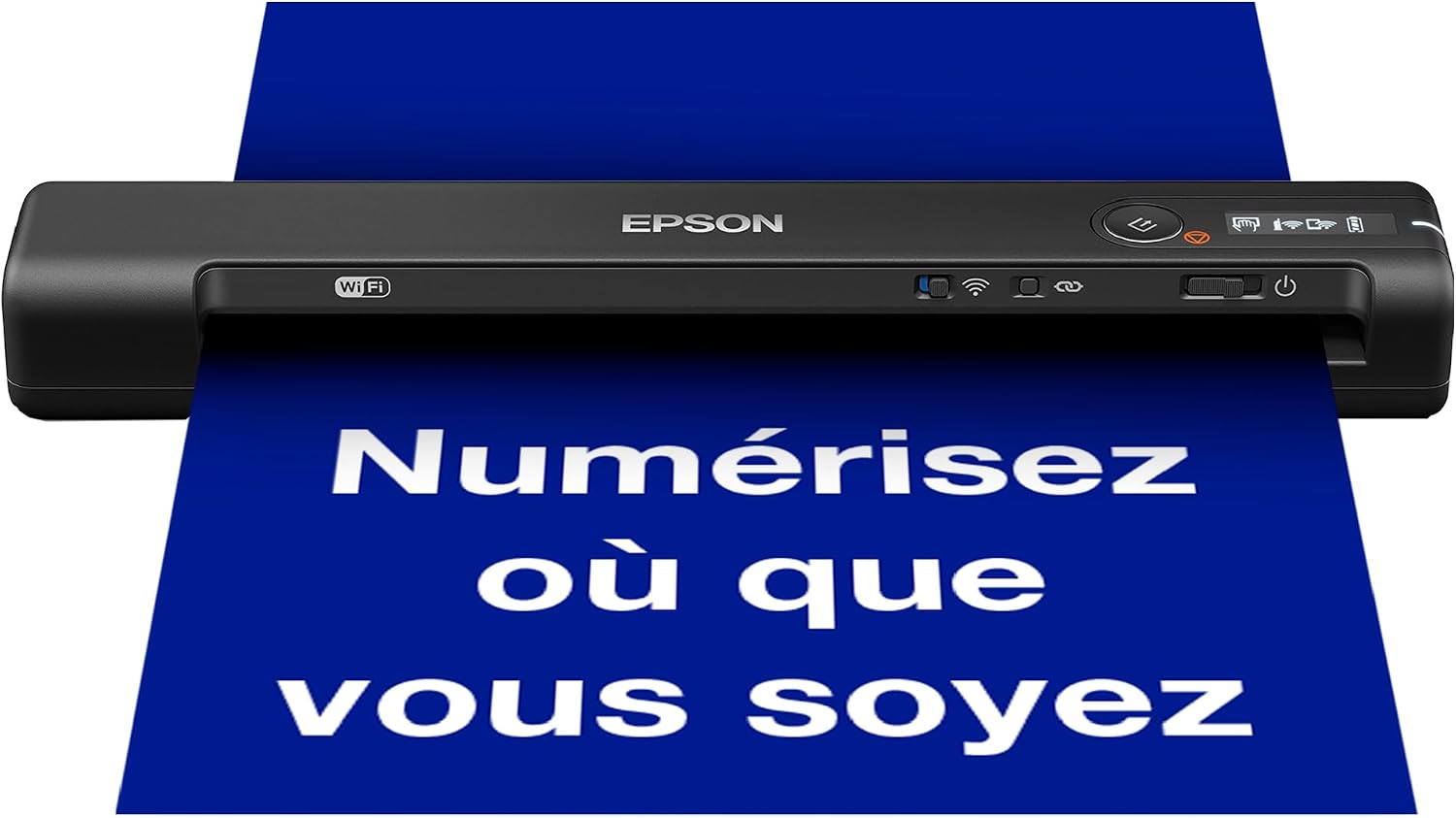
EPSON WorkForce ES-60W | Mobile Document Scanner - Battery Powered, WiFi, LCD Display, 4 Seconds Per Page, ScanSmart Software, Auto Power, Black
ASIN: B07KP6S5RD
- ✓Battery for up to 300 pages, so no computer or socket is needed
- ✓Wi-Fi to a phone, tablet or laptop, with an LCD panel on the body
- ✓Four seconds per A4 page at 300 dpi, with a continuous feed mode
- ✓Takes 35 to 270 gsm paper, plastic cards and sheets up to 1.8 m long
- ✓300 grams, the lightest product on this page
- Type
- Sheet-fed, single-sided
- Speed
- 4 seconds per page at 300 dpi
- Battery
- Up to 300 pages
- Connection
- Wi-Fi and USB
- Media
- 35-270 gsm, up to 1.8 m long
- Size
- 27.2 x 4.7 x 3.4 cm
- Weight
- 300 g
- Output
- PDF, JPEG, TIFF with OCR
Document scanner comparison: the specifications side by side
The figures for these scanners are easier to weigh in one place than spread across four listings.
| Parameter | Brother DS-640 | Canon LiDE 400 | Brother DS-740D | Epson ES-60W |
|---|---|---|---|---|
| Shape | Sheet-fed | Flatbed | Sheet-fed | Sheet-fed |
| Two-sided | No | No | Automatic | No |
| Speed | 15 ppm | 8 seconds per scan | 15 ppm | 4 seconds per page |
| Resolution | 600 dpi | 4,800 dpi | 600 dpi | 300 dpi quoted |
| Books and thick originals | No | Up to 21 mm | No | No |
| Power | USB 3.0, 2.3 W | USB Type-C, 4.5 W | USB 3.1, 2.9 W | Battery or USB |
| Wireless | No | No | No | Wi-Fi |
| Weight | 390 g | 1.7 kg | 537 g | 300 g |
| In the box | Manual | Scanner | — | — |
| Warranty | 2 years | 2 years | 2 years | — |
| Customer rating | 4.5 (2,031) | 4.3 (5,345) | 4.5 (1,089) | 4.2 (508) |
Read the ratings of these scanners together with the crowd behind each one. The Canon's 4.3 rests on more than five thousand opinions, so it is the most settled figure here even though it is not the highest. Both Brother scanners sit at 4.5 on two thousand and one thousand ratings, which is enough to trust. The Epson's 4.2 comes from 508 buyers and is the score most likely to move.
Drivers and cables: the first hour with a document scanner
Across all four scanners the pattern in the reviews is the same. Nobody argues about how these scanners put a page on a disk; the trouble, when there is any, happens before the first scan.
Two Brother owners describe the macOS route in detail, and it is worth knowing in advance: the driver comes from Brother's website rather than the operating system, and on the DS-640 a second install is needed before the button on the case does anything. The reward is a scanner that then files searchable PDFs into a folder untouched. A Swedish Epson owner calls the setup of his scanner a little tricky and then reports no further problems. Canon's bundled software drew the sharpest criticism, from an owner who found the multi-page detection unreliable, while a British buyer using the same software had a hundred documents filed and synced to cloud storage inside an hour.
Cables deserve one line of planning. The DS-640 ships with a USB-A lead in an era of USB-C laptops, which one owner solved by buying a new cable; the Canon uses Type-C at the scanner end; the Epson can skip the cable entirely over Wi-Fi. Check which port your own machine has before the scanner arrives, and the first hour stays short.
How to choose a document scanner for your paperwork
Choosing a scanner for a home office comes down to six checks, and they are worth taking in this order.
- Start with what you are digitising. Loose sheets, receipts and cards go through sheet-fed scanners faster than over any glass bed. Books, passports, stapled reports and photographs need a flatbed scanner, and no amount of speed elsewhere replaces that.
- Count the two-sided pages. A contract printed on both faces goes through the DS-740D once and through the other three scanners twice, in the right order, with the second pass merged by hand.
- Decide where these scanners will sit. The two Brother scanners and the Epson disappear into a bag; the Canon is a permanent 36.5 cm of desk that at least stands upright when idle.
- Check the resolution against the job. Text is legible at 300 to 600 dpi, and all four scanners manage that. Only the Canon's 4,800 dpi makes sense for photographs, and even its owners say high settings are slow.
- Look at how the scanners are powered. USB power means one cable and no adapter. A battery means working at a client's table with nothing else in the bag, which only the Epson offers.
- Plan for the software, not just the hardware. Assume a driver download, and check that your operating system is supported before ordering any of these scanners; the reviews here show that this, not the paper, is where evenings go.
Frequently asked questions
- Is a dedicated scanner better than a phone camera?
- For loose documents, yes, and one Italian owner makes the point himself: a portable document scanner sounds anachronistic, but a straight sheet pulled past a fixed sensor beats a hand-held photograph for text that has to stay readable and searchable. A phone still wins for a quick snapshot of a whiteboard.
- Which of these models scans both sides of a page?
- Only the Brother DS-740D, which reads the front and the back in one pass at up to 15 pages a minute. The DS-640, the Canon LiDE 400 and the Epson ES-60W all read one face at a time.
- Can any of them scan a book?
- The Canon LiDE 400 only. Its double-hinged lid takes originals up to 21 mm thick. An Italian owner adds a caveat: a large book that will not open flat still comes out soft where the pages meet in the middle.
- Do these machines need a mains socket?
- No. The Brother pair and the Canon draw everything they need from the USB cable, at 2.3, 2.9 and 4.5 watts. The Epson ES-60W adds a battery rated for 300 pages, so it works with no cable and no computer at all.
- Will the files be searchable?
- Yes, with the right software. Epson's ScanSmart runs OCR and saves PDF, JPEG or TIFF. One Brother owner gets copyable text in his PDFs with the recognition done by macOS, and a Canon owner rates the OCR on greyscale text as accurate.
- How thin or thick a sheet can they take?
- The Epson quotes 35 to 270 gsm plus plastic cards and pages up to 1.8 metres long. The Brother models handle A4 sheets, receipts and ID cards. On the Canon, one owner found supermarket receipts thin enough to slip under the guide edge.
- What is the setup like on a Mac?
- Expect a download. Owners of both Brother models say the driver comes from the manufacturer's site, after which scanning works from Preview or straight into a folder. On the DS-640, making the hardware button work needs the Brother application and a second driver as well.
Verdict
Every model on the same criteria
Score against price
- Brother DS-6404.3 at about €108
- Canon LiDE 4004.3 at about €87
- Brother DS-740D4.5 at about €139
- Epson ES-60W4.1 at about €160
The overall score divided by the typical price, with the best in the group as the full bar. A rough guide, not a verdict — a cheap model that misses the feature you need is no bargain.
Read the bars as trade-offs rather than as a ranking. No scanner here leads on everything, and the two bars that move most are the two nobody can compromise on: the flatbed is the slowest and the least portable, and it is also the only one that opens a book. The duplex model scores highest overall because it gives up nothing against its single-sided sibling except 147 grams. The battery scanner is the lightest and the freest, and it carries the weakest customer rating of the four.
Four scanners, two questions. Ask first what your paper looks like: if it is bound, thick or photographic, the Canon LiDE 400 is the only answer on this page, and its five thousand ratings say the scanner does the job. If it is loose sheets, the Brother DS-640 is the compact default, the DS-740D is worth its extra weight the moment those sheets are printed on both faces, and the Epson ES-60W buys freedom from the computer at the cost of the lowest rating among these scanners.
The mistake is buying a scanner for speed you never use while missing the one feature your drawer actually needs. Look at the pile of paper before you look at the specifications, and the choice makes itself.